
Time tracking without the backtracking
Effortlessly log more billable time while keeping project hours, budgets, and billing connected in one place.

Fill out timesheets faster with AI-powered time entries
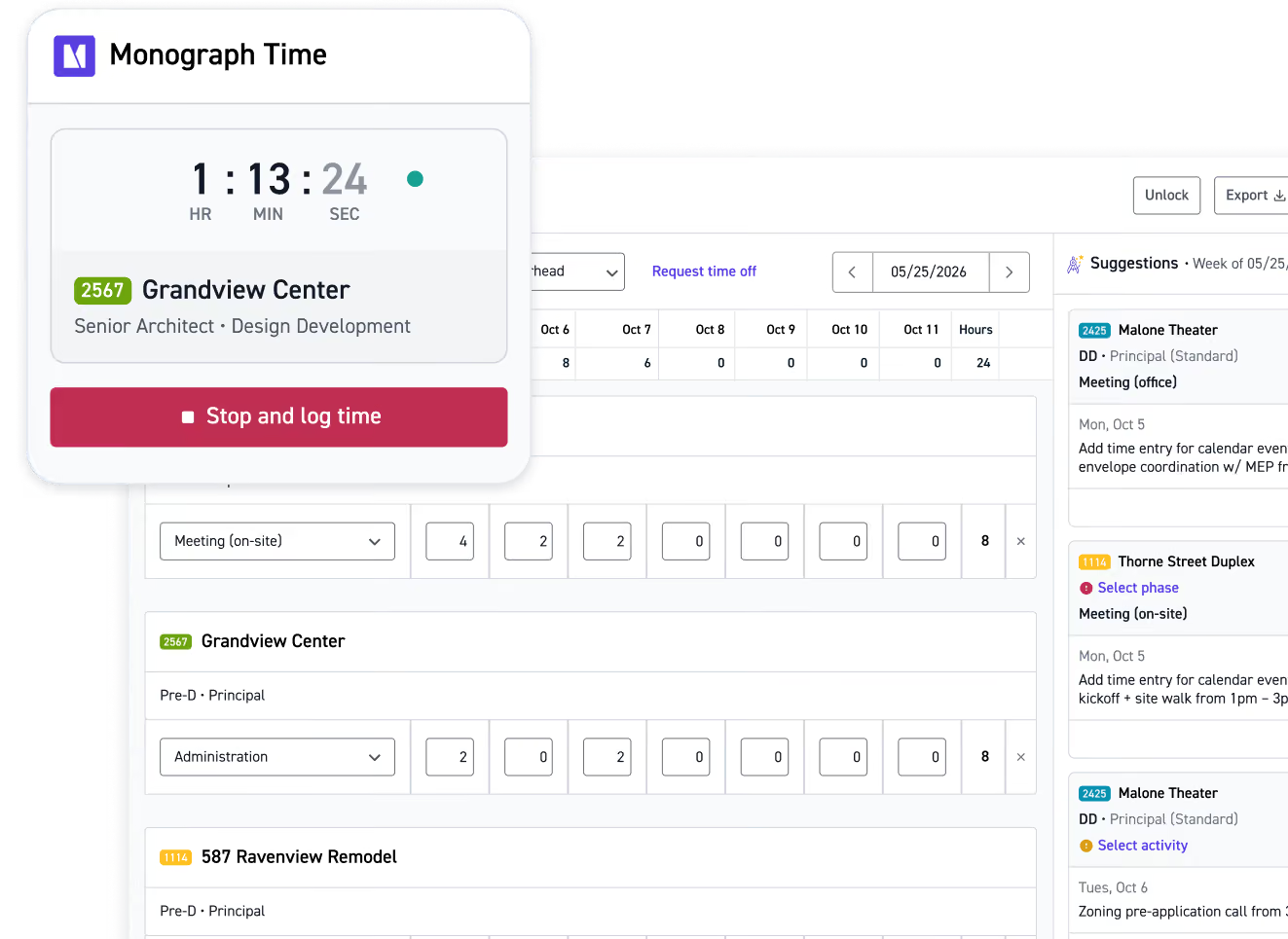
Track every billable minute with timers on web, desktop, and mobile
Submit expenses in seconds with receipt scanning that pulls in the details for you



















Get time tracking off your plate
We draft your time entries. You approve them.
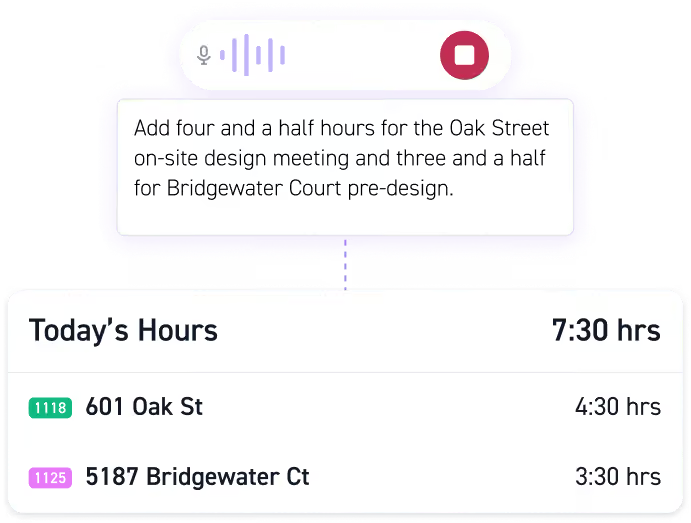
Describe your day, AI does the rest
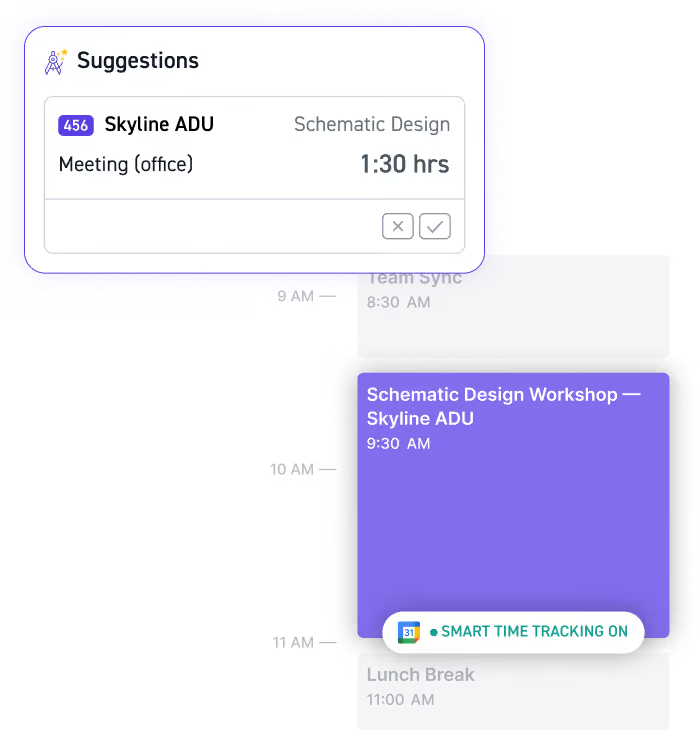
Get time entry suggestions from your calendar
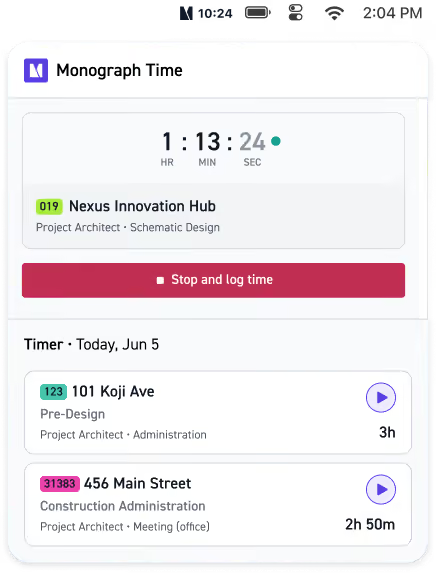
Track time and activity from a dedicated desktop timer
“It’s been great to be able to track time and expenses while making sure the productivity of our staff is maximized based on the amount of workload.”

Keep weekly timesheets accurate and up to date
Give your team one easy place to enter, review, and submit time each week.
Track billable, non-billable, and overhead time
Log hours directly to projects and phases
Add activities and notes to keep every entry in context
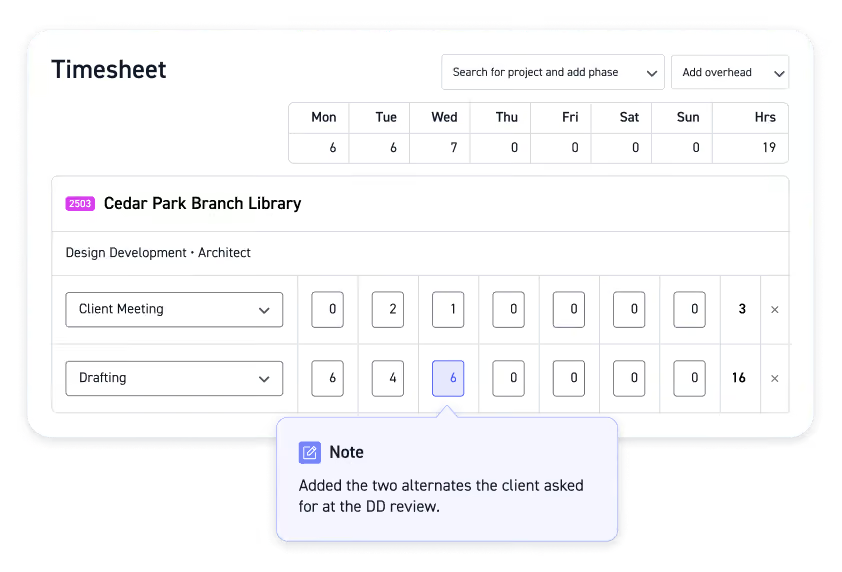
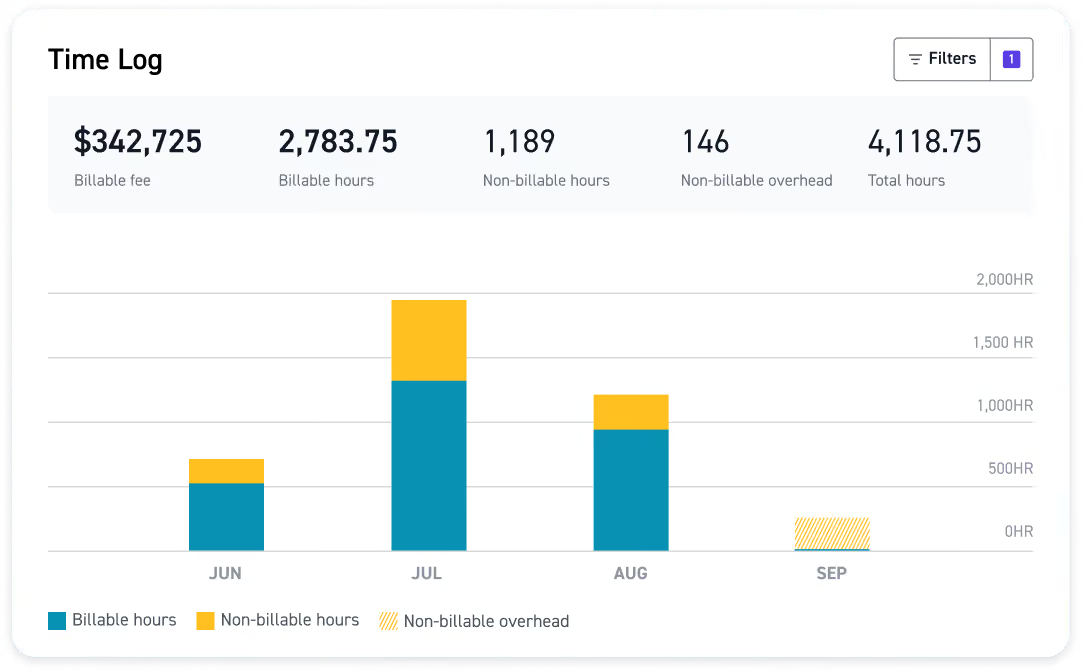
See exactly where your team's time is going
Get a live view of recorded time across your firm, without digging through individual timesheets.
View time by project, phase, or activity
Break down hours by staff member or role
See project and overhead time in one place
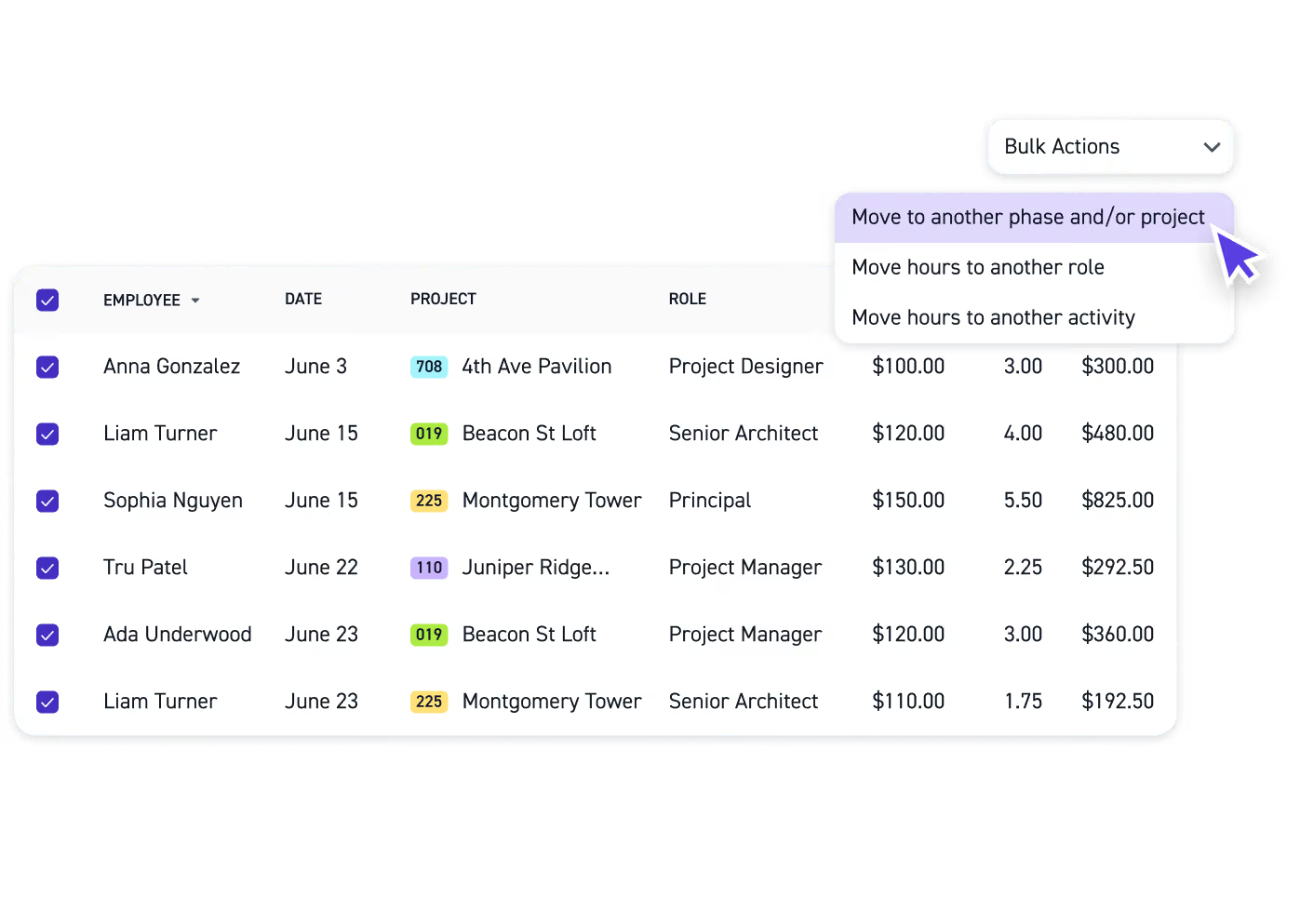
Correct time entries in a few clicks
Plans change and time doesn't always get logged to the right place. Update multiple entries at once instead of fixing them one by one.
Move time to another project or phase
Update roles and activities in bulk
Correct multiple entries at the same time
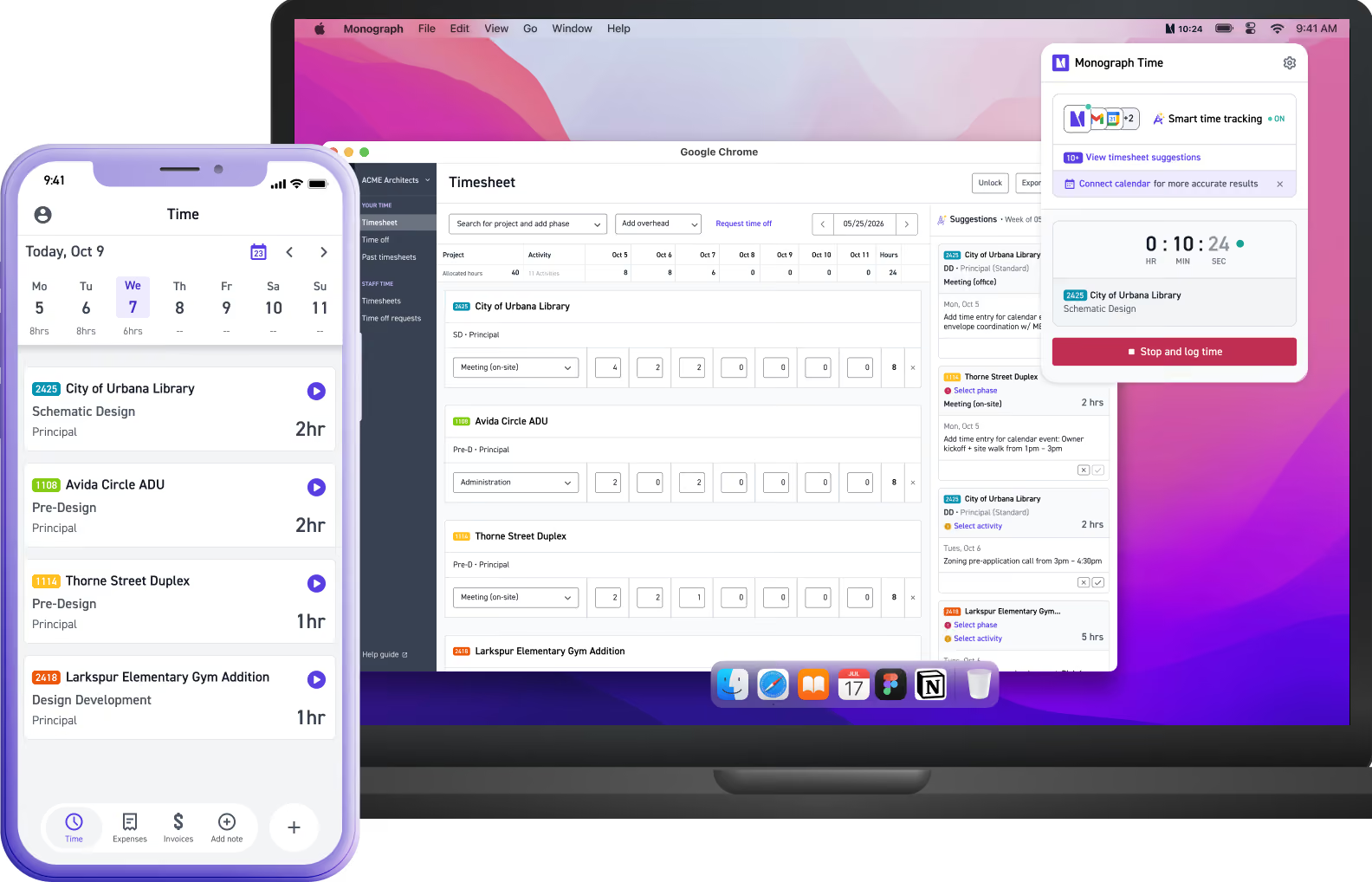
Track time & expenses on the go
Keep time and expenses up to date from wherever your workday takes you.

web

desktop

mobile
Not all time tracking software works the same
.svg)
(non-billable only)
(basic approve/reject only)
Your timesheet is just the beginning
Time entered in Monograph flows into your project budgets, billing, and profitability, giving you one connected view of how your projects and firm are performing.
Connected project tracking

Faster billing & accounting
Firm-wide visibility
Run your A&E firm the easier way
Explore how Monograph helps you simplify day-to-day firm management, from project planning to payment
Read more


Frequently asked questions
What should architecture firms look for in time tracking software?
The best time tracking software for architects should do more than record hours. Look for time tracking tools that make timekeeping easy while connecting employee hours to project management, project budgets, expense tracking, invoicing, and project profitability. Monograph is built specifically for architecture and engineering firms, so time stays connected to the projects and financials your firm already manages.
How does time tracking work for architects and project managers?
Monograph gives architects several ways to enter time, including timers, weekly timesheets, manual entries, and AI-powered suggestions. Hours are logged directly to projects and phases, giving project managers an up-to-date view of where time is going. Instead of using a separate time tracker, teams can see time alongside project budgets, costs, and profitability as part of their broader project management workflow.
Can architects track billable hours by project phase?
Yes. Monograph supports phase-based tracking, so architects can log billable hours directly to the project and phase where the work happened, including schematic design, design development, construction documentation, and construction administration. Activities and notes add more context, making it easier to understand where time is going throughout the project lifecycle.
How does time tracking help with project profitability, scope creep, and resource allocation?
Accurate employee time tracking helps firms understand how staff hours affect project costs and project profitability. Monograph connects recorded time to project budgets, so project managers can see when a phase is using its budget too quickly and identify potential scope creep. Project and time data also feed into firm-wide reporting, giving leadership greater visibility into profitability and resource allocation.
Can Monograph use tracked time and expenses for client billing and invoicing?
Yes. Billable time and expenses entered in Monograph can move directly into client billing and invoicing, reducing duplicate entry between systems. Project time stays connected to project financials, while hourly rates and billing rates help determine what should be billed. Monograph also integrates with QuickBooks Online to keep project and accounting workflows connected.
Does Monograph offer automatic time tracking or employee monitoring?
Monograph uses AI to make time entry easier without invasive employee monitoring. Calendar activity from Google or Outlook can become suggested time entries that employees review, adjust, accept, or dismiss before anything is added to their timesheet. This gives teams the convenience associated with automatic time tracking while keeping employees in control of what gets submitted.
Can architects track time and expenses from the mobile app?
Yes. Monograph's mobile app gives architects and engineers mobile access to time and expense tracking, including during site visits. Employees can use timers and weekly timesheets, add expenses, and scan receipts from their phones. Monograph pulls the date, amount, and category from each receipt for review, making it easier to keep project time and expenses up to date wherever work happens.
How is Monograph different from time tracking and project management tools like Harvest, Clockify, Asana, or ClickUp?
Harvest and Clockify are standalone time tracking tools, while Asana and ClickUp are general-purpose project management tools. Monograph is project management software built specifically for architecture and engineering firms, connecting time and expenses with project budgets, resource allocation, invoicing, and profitability. Instead of moving data between separate time tracking, project management, and financial tools, firms can keep more of their workflow connected in one place.