



Firm management made easy

If you're spending more time reconciling spreadsheets than analyzing project profitability, your systems aren't working together. For finance managers at architecture and engineering firms, the gap between project management data and QuickBooks creates real problems: delayed invoicing, inaccurate cost tracking, and month-end closings that drag on for days.
CRM software that integrates with QuickBooks solves this by connecting your client relationships, project data, and financial records into a unified workflow. But not every integration works the same way, and generic solutions often miss the specialized needs of A&E firms entirely.
Why A&E Firms Need More Than Basic Integration
Standard QuickBooks Online handles bookkeeping well, but it wasn't designed for how architecture and engineering firms actually operate. QuickBooks Online lacks complete functionality for phase-based project budgets, resource forecasting, and invoicing with detailed breakdowns by phase and consultant.
This matters because A&E billing isn't simple. You're tracking time across Schematic Design, Design Development, and Construction Documents. You're managing consultant costs that need to hit specific project budgets. You're reconciling what was billed against what was earned by phase, not just by project.
These complexities require integrated systems that understand phase-based billing structures rather than simple time-and-materials accounting. When your CRM and QuickBooks operate as separate systems, this complexity multiplies the risk of errors and delays.
CRM Software Options That Integrate with QuickBooks
Several platforms offer QuickBooks Online integration specifically designed for A&E workflows. Each takes a different approach to balancing project management depth with accounting functionality.
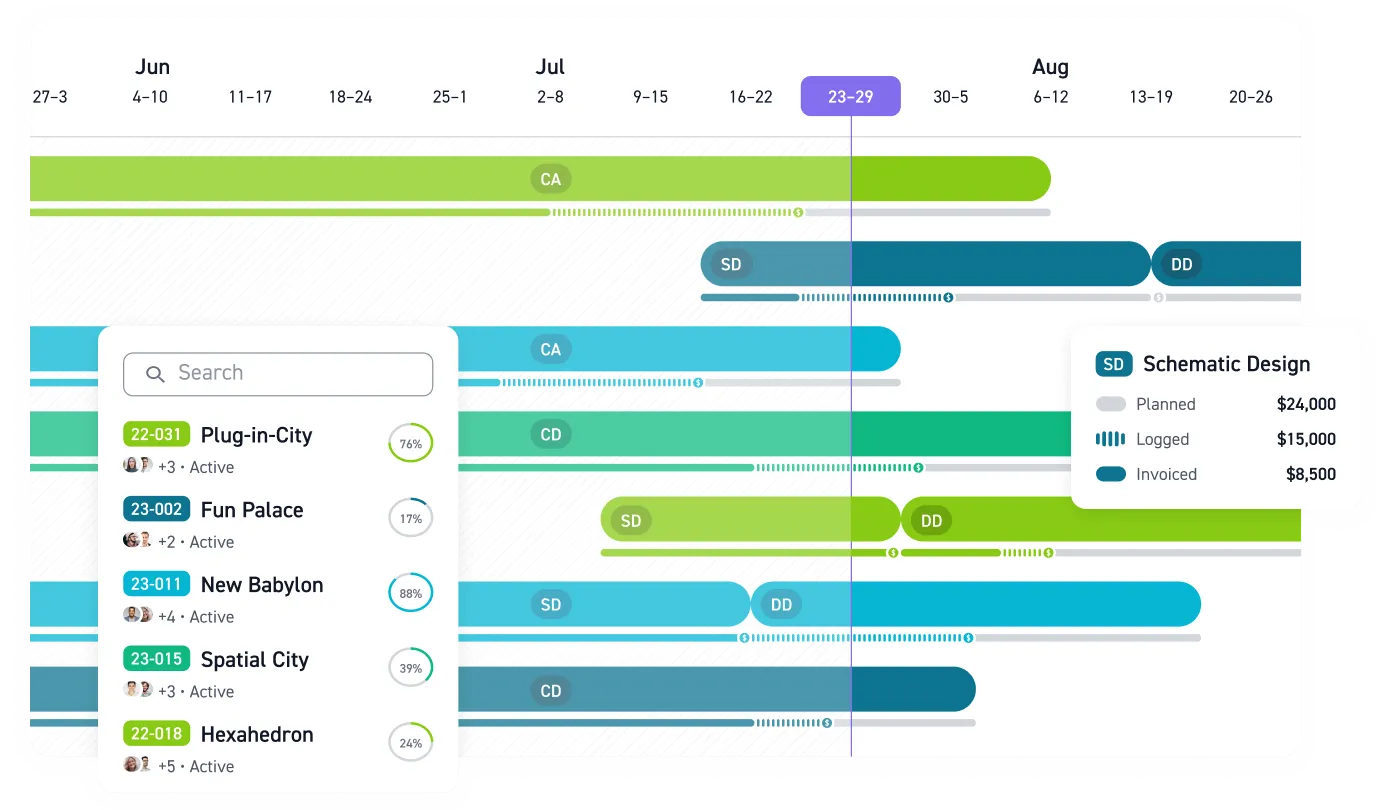
Monograph positions itself as a project management layer that operates above QuickBooks Online, handling A&E-specific operations while QuickBooks manages core accounting. The integration provides two-way sync of invoices, expenses, consultant bills, and clients. This architecture lets each system focus on what it does best. Monograph powers project phases, staff utilization, and time tracking, while QuickBooks handles the general ledger and tax prep.
BQE CORE consolidates accounting, invoicing, project management, and time tracking into a single dashboard with QuickBooks integration. According to BQE's setup guide, the integration manages your accounting, invoicing, project management, reporting, and time tracking in one place.
BigTime serves professional services firms including engineers and architects, offering synchronization of clients, projects, employees, and service items with QuickBooks Online. The platform posts time and expenses directly to QuickBooks. However, BigTime's broader professional services focus means it lacks A&E-specific features like phase-based budgeting and consultant billing workflows.
Factor A/E provides a two-way sync specifically for architecture and engineering firms, handling project work while QuickBooks handles the books.
Setting Up Your Integration: A Practical Walkthrough
Successful integration follows a structured process: establishing prerequisites, configuring data mapping, and implementing thorough testing before going live.
Phase 1: Prepare Your QuickBooks Foundation
Before connecting any external system, your QuickBooks setup needs to support the integration. Start by reviewing these foundational elements:
- Configure your chart of accounts to align with A&E project accounting requirements
- Establish Product/Service types in QuickBooks Online that match how you'll categorize billable work
- Set up customer records with complete billing information and sync clients between systems
- Verify your expense categories support project cost allocation
Firms that skip this preparation often discover data mapping failures weeks into implementation.
Phase 2: Map Your Data Fields
Data mapping represents the most critical step for finance managers. Invoice items must use the exact same spelling as Product/Service types in QuickBooks Online.
The mapping process covers several data categories:
- Invoice items must align precisely with QuickBooks Product/Services, since even minor spelling variations cause sync failures
- Expense categories need mapping to corresponding invoice items for proper cost tracking
- Default values should be configured for unmapped items to prevent synchronization errors
Expect to invest meaningful time in careful field mapping and validation before going live.
Phase 3: Test Before Going Live
After completing your integration setup, verify data flows accurately across both systems. Testing should confirm all invoice items properly map to QuickBooks Product/Services, default configurations handle unmapped items, and expense categories sync accurately.
For Monograph users, the QuickBooks Online integration involves connecting Monograph to QuickBooks Online, importing and syncing clients and consultants, and configuring how invoices and expenses flow between the systems. Monograph's documentation does not present this as a specific four-step process or include a distinct step called setting up cost data import for profit calculation.
What Data Actually Syncs Between Systems
A&E firms typically sync four critical data types between systems: invoices, expenses, consultant bills, and client records.
- Client records including contact information and billing addresses, synced both directions
- Project structures including phase assignments and cost centers
- Invoices with line items organized by phase and consultant
- Time entries with employee assignments, hours, and billing rates
- Expenses with project allocation and reimbursable status
- Consultant bills for tracking subconsultant costs against project budgets
A true two-way sync where changes in either system propagate appropriately creates a single source of truth for project data.
The Financial Impact of Connected Systems
Integration delivers concrete benefits for finance managers.
Invoicing accuracy improves when time entries flow directly into invoices without manual re-entry. Research analyzing 1,200+ A&E firms found that 61% of firms acknowledge fighting time-tracking inefficiencies that cause revenue to disappear before reaching an invoice. This integration impact is measurable. Woodhull, a 25-staff architecture firm in Maine that previously used BQE Core, achieved 50% faster billing and reduced budget overages by 66% after switching to Monograph's integrated QuickBooks workflow.
Project profitability tracking becomes continuous rather than periodic. When time tracking integrates with financial workflows, labor costs appear directly next to your original estimates, giving you real-time visibility into how actual work affects project budgets.
Month-end closing accelerates because automated data flow eliminates manual reconciliation between systems. Instead of spending days matching time entries, expenses, and consultant invoices across disconnected systems, finance managers can focus on analysis and financial management.
Cash flow visibility improves through automated billing workflows. Automated billing features, including recurring invoices and automatic payment reminders, lead to more timely payments.
For A&E firms where projects experience changes in status and scope, this real-time visibility transforms how finance managers forecast cash flow and resource needs.
Connect Your Systems and Stop the Manual Reconciliation
Every day your CRM and QuickBooks stay disconnected is another day of duplicate data entry, reconciliation headaches, and missed revenue hiding in unbilled time.
You already know which projects are profitable and which ones drain resources. The question is whether you're getting that information fast enough to act on it. A&E firms that connect their project management and accounting systems spend less time hunting through spreadsheets and more time making decisions that actually improve margins.
Monograph's QuickBooks Online integration was built specifically for architecture and engineering workflows. Two-way sync handles invoices, expenses, consultant bills, and client records. Your project phases, time tracking, and financial data stay aligned without manual intervention. Finance managers get real-time visibility into project profitability by phase, and month-end closings happen in hours instead of days.
Your spreadsheet workarounds aren't scaling. Book a demo with Monograph.
Frequently Asked Questions
How long does QuickBooks integration setup typically take?
Most A&E firms complete the initial connection in a few hours, but the full implementation, including data mapping and testing, typically takes 2-4 weeks. The timeline depends on how clean your existing QuickBooks data is and how many custom Product/Service types you need to map. Firms that prepare their chart of accounts and standardize naming conventions beforehand move faster.
What happens if invoice items don't map correctly between systems?
Mapping errors usually surface as sync failures or invoices landing in the wrong QuickBooks accounts. The fix depends on the integration. Some platforms let you configure default values for unmapped items, while others require exact spelling matches. Catch these issues during testing by running sample invoices through both systems before going live with real client billing.
Can the integration handle phase-based billing for A&E projects?
Generic integrations often can't. Standard QuickBooks Online tracks revenue by customer and product, not by project phase. You need an A&E-specific platform like Monograph that maintains phase structures on the project management side while syncing the financial totals to QuickBooks. This lets you see profitability by Schematic Design, Design Development, and Construction Documents, not just by project.
Do I need to change my QuickBooks chart of accounts for the integration?
Not necessarily, but you may need to add accounts or adjust how you categorize revenue and expenses. The key is ensuring your chart of accounts supports the level of project cost allocation you want to track. Most A&E firms benefit from separating consultant costs, reimbursable expenses, and labor by project type, even if QuickBooks wasn't originally set up that way.
How do consultant bills sync between systems?
This varies significantly by platform. Some integrations only sync invoices you send to clients, leaving consultant bill tracking as a manual process. A&E-specific platforms typically import consultant bills, match them to project budgets, and flow the costs through to QuickBooks as expenses. This gives you the full picture of project profitability without hunting through multiple systems.