



Firm management made easy

On Monday morning, a project manager (PM) fills out Friday's timesheet from memory. The main block on the construction document set is in there. The brief call with the structural engineer, the redline review squeezed in before a client meeting, and the time spent answering a request for information (RFI) are not.
At most architecture firms, missing billable hours are a memory problem. Short, scattered tasks vanish when they get logged a day or a week after the work happened.
Why the Small Blocks Disappear First
People filling in time from memory forget short activities first. A National Academies time-use review reports that diaries under-report activities with short time spans.
Project management in a small firm runs on short blocks. UC Irvine interruption research on software developers, financial analysts, and managers found that people spent about 11 minutes on a stream of work before switching. Of those streams, 57% were interrupted.
Delay makes the loss worse: the same review reports that recall error rises once a weekday is more than 24 hours back, and by Friday afternoon, Monday is four days gone.
Most PMs can name the usual missing entries without looking:
- A quick coordination call with the mechanical, electrical, and plumbing (MEP) consultant
- A redline review between two meetings
- An RFI answered by email while waiting on plan check
- A quick code check on a stair detail
Nobody stops to log a ten-minute task wedged between two others. If someone remembers it by Friday, it often gets folded into whichever project took up the rest of that afternoon.
What the Leak Looks Like at the Firm Level
At the firm level, missed hours show up as lower utilization. Baseline firms average 81% utilization in Monograph's 2026 A&E benchmarks report. Top-quartile firms run 92% to 94%, and bottom-quartile firms run 67% to 70%.
The report uses anonymized data from firms on Monograph's platform, so its utilization figures count only logged hours. Workload and staffing explain part of the gap between top and bottom firms. Time capture is the part a PM can work on this week.
Realization rate measures a different loss: logged time that never gets billed at full value. Baseline firms average 96% realization and lose 4 cents of every billable dollar to fee write-offs and scope creep. Because that time was logged, firms can see the loss and manage it.
On a $100K project, the gap between bottom-quartile firms at 83% realization and top firms at 107% is $24K. For the formulas and worked examples, see Monograph's realization rate guide.
The Arithmetic on a Typical Fee
Monograph's billing-rate walkthrough prices a Project Architect at $57 an hour with a 3.13 net multiplier, for a $178 billing rate. One unlogged hour a week at that rate works out as follows:
To size the gap for your firm, pull role rates from the billing rate calculator. Multiply them by the hours your team can't account for in a typical week. You can usually estimate those hours from last week's calendar in a few minutes.
On a fixed-fee project, the client pays the agreed fee whether or not your team logs every hour, but you price the next fee from your project records. Missing or miscoded hours make a project look cheaper than it was.
AIA's fee-setting guidance lists hours per square foot and project multiplier among the metrics to track as historical input for future fees. Across a 20-week phase, one missed hour a week leaves 20 hours, about $3,560 at that rate, out of that history.
Two Low-Effort Fixes: Same-Day Entry and Timers
Daily entry is the first control, and it costs nothing but discipline. Zweig Group's cash-flow guidance tells A&E firms to get timesheets in daily, or at least weekly, because a firm can't bill time it hasn't recorded. A few written rules make the habit stick:
- Set an end-of-day deadline for time entry
- Define what counts as billable, including consultant calls and RFI responses
- Log in 15-minute increments so a short call has a slot
- Review and approve timesheets every week while the work is still recent
Even with a deadline, a PM back from a morning site walk and an afternoon of consultant calls still fills in the day from memory at 5:30 p.m. By then, a 10 a.m. call with the mechanical engineer is easy to undercount or leave off.
A running timer removes the recall step for any task someone remembers to start. Monograph's time tracking includes a dedicated desktop timer that runs alongside the work. Start it when the consultant call begins and the whole call is on the record. That still leaves the calls nobody remembered to time.
Rebuild the Day From the Calendar
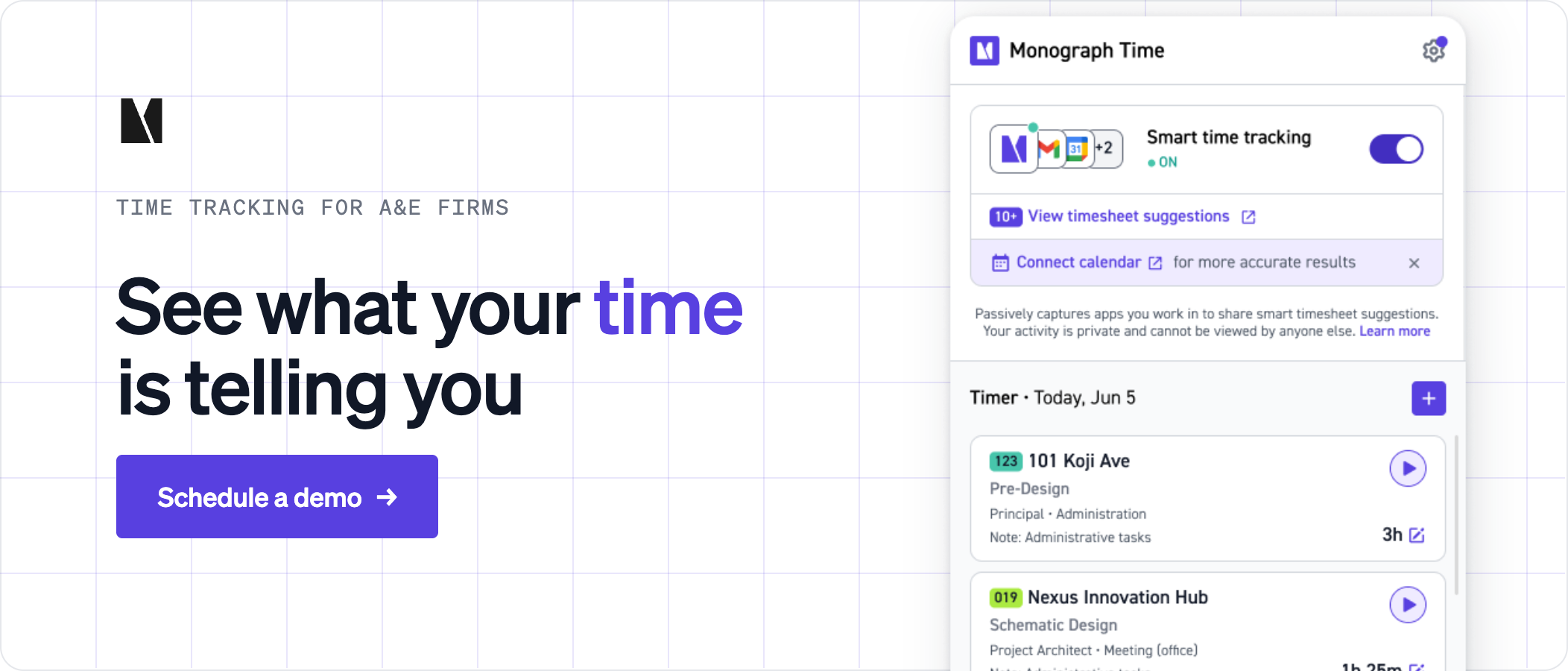
Smart Time Suggestions, part of Monograph's Smart Time Tracking, pulls events from a connected Google or Microsoft 365 calendar and generates suggested entries for the week. It fills in the project, phase, activity, and hours when the event details identify them, and it skips any event it can't match with confidence. Users review the suggestions, edit what needs editing, and accept them into the timesheet. Nothing is added without approval.
The consultant call nobody timed on Tuesday is still on Tuesday's calendar. If the invite has enough detail to identify the project, it comes back as a suggestion.
Smart Time Tracking also uses desktop activity. When it's turned on, the Monograph Desktop App identifies the software someone worked in and turns that activity into time suggestions. On the mobile app, natural language entries let staff describe their work in their own words, across several projects at once. Monograph converts the description into structured entries for review.
Once accepted, a recovered hour feeds the project budget, billing, and profitability reports like any other entry.
Recover Missed Billable Hours With Monograph
Start with last week's timesheets. Check them against the calendar, flag the calls, redlines, and RFIs that never made it in, and price those hours at your role rates.
Monograph puts timers, calendar suggestions, timesheets, project budgets, and billing in one system. Workbench, a 30-person architecture firm in California cut monthly unbilled fees from overages by 75% after moving budgets and billing into Monograph. Ready to recover the hours your team already worked? Book a demo.
Frequently Asked Questions
Is daily time entry enough to recover every missed billable hour?
No. Daily entry closes part of the gap, but people still forget short calls and tasks. Timers and calendar suggestions cover tasks that slip past daily entry. In the weekly approval, the PM can still catch missing consultant calls, redlines, and RFIs.
Why track hours accurately on fixed-fee projects?
Accurate hours are your only record of what the project actually cost. Without them, a phase overrun can go unnoticed until closeout, and the next proposal starts from a cost that was too low. Review hours by phase even when the invoice amount does not change.
Will desktop timers feel like employee surveillance?
They can if staff don't know what the timer records or who reviews it. Monograph's desktop timer can capture which software someone is using so it can suggest entries, and nothing goes on the timesheet until that person approves it.
Are 15-minute increments precise enough for short tasks?
Yes, if the firm applies the rule consistently. Fifteen-minute increments give a short call or an email response its own line without making time entry a chore.
Data was collected as of April 2026.