
Know capacity before committing
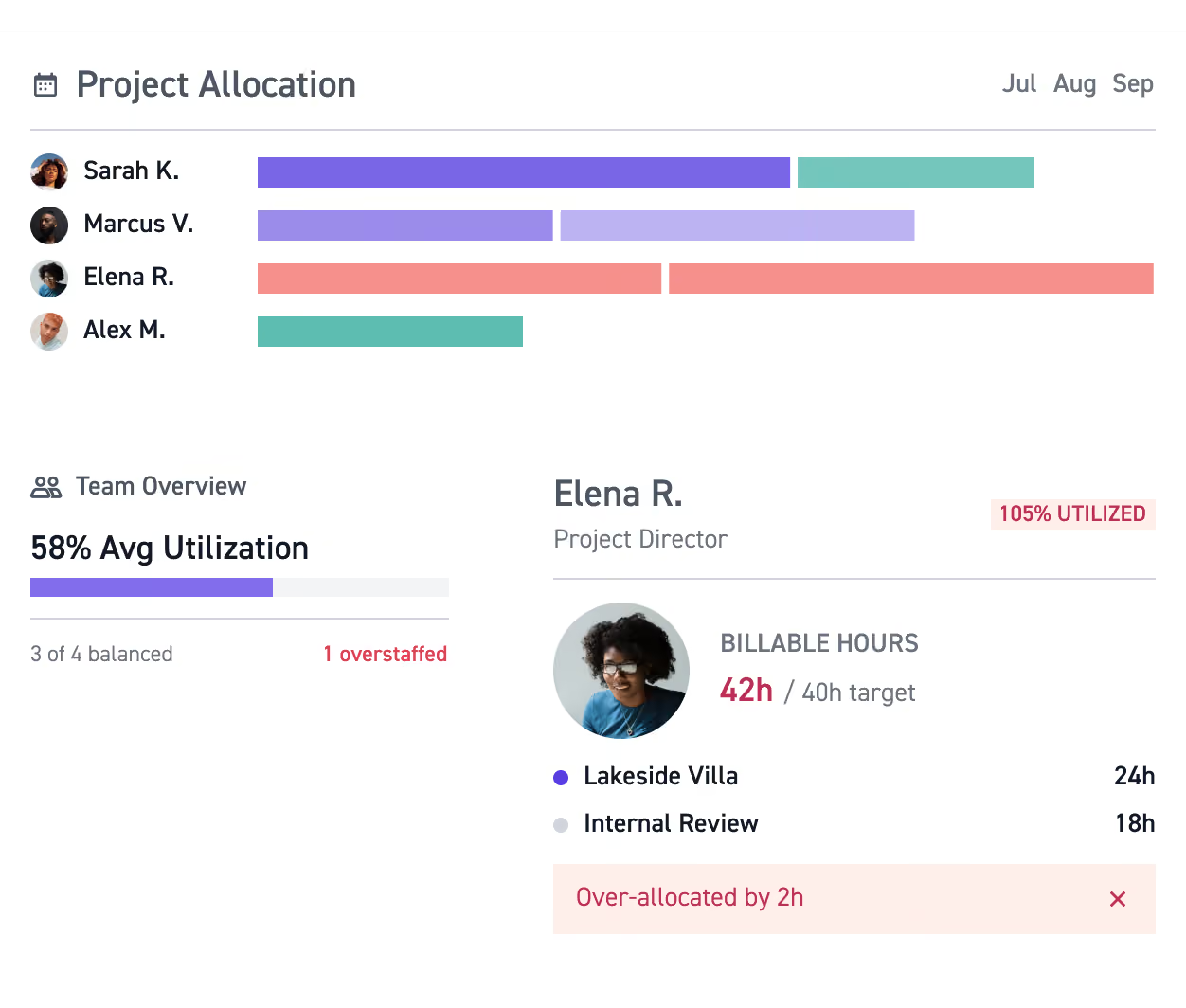
Forecast team workloads, balance billable time, and know when to hire, reassign, or take on more work.
Spend your team's time where it counts
Improve utilization
Prevent overload
Staff work ahead
“Monograph allowed us to integrate billing, staffing, and project management in a way that wasn't possible before. Our future staffing and pipeline improved dramatically, allowing us to find a sweet spot in our workload for taking on and declining projects.”

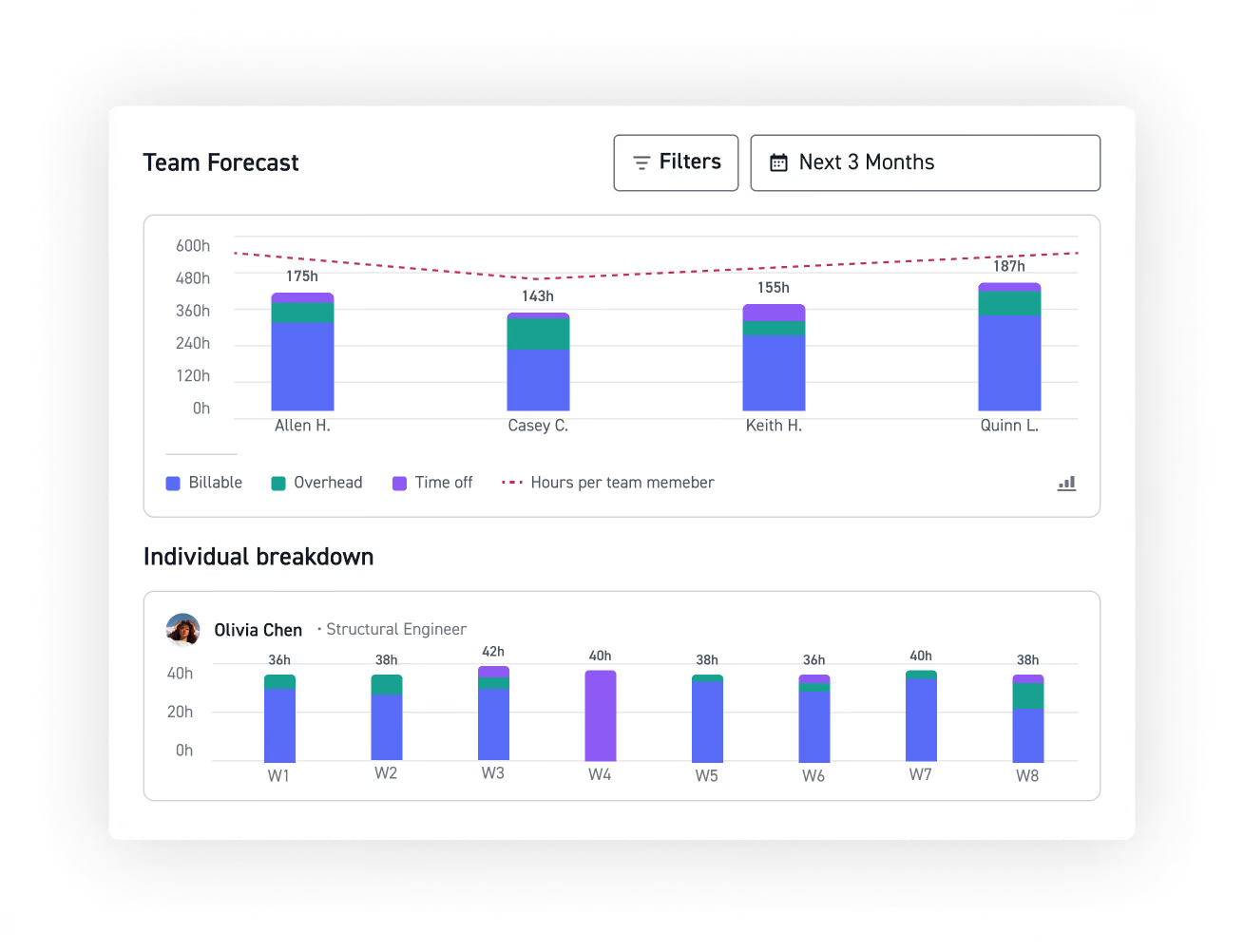
Forecast staffing needs months ahead
See how many hours your team is planned to work each month, by team or individual. Spot overcommitted periods early, hire, reassign, or adjust before you're short-staffed.
Catch drift before it costs
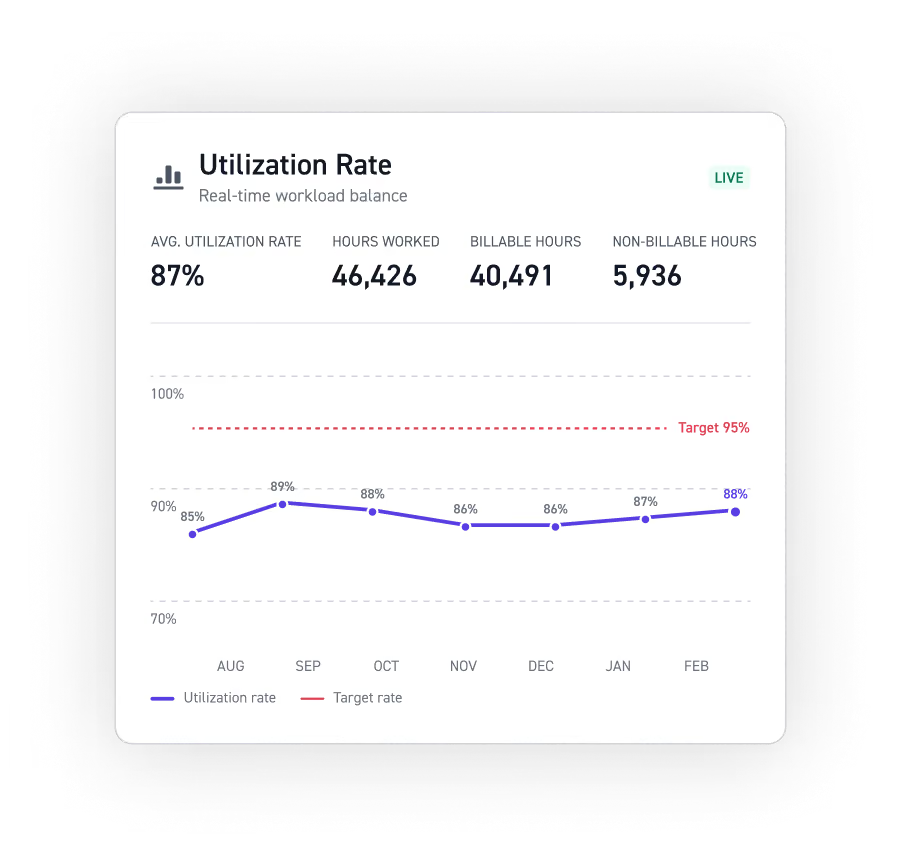
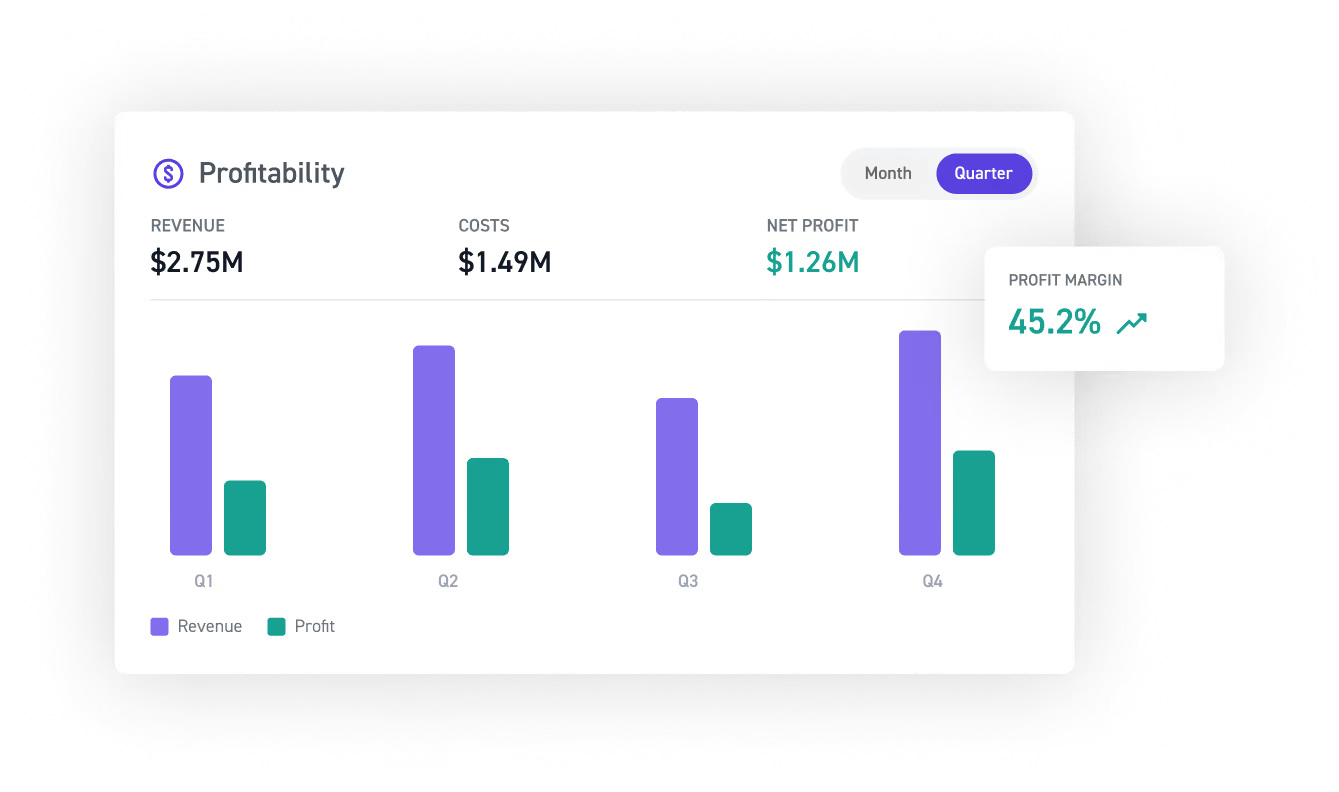
Track how utilization is trending over time, identify high performers, and catch drift early before it hits your margins or leads to burnout.
Know where every hour goes
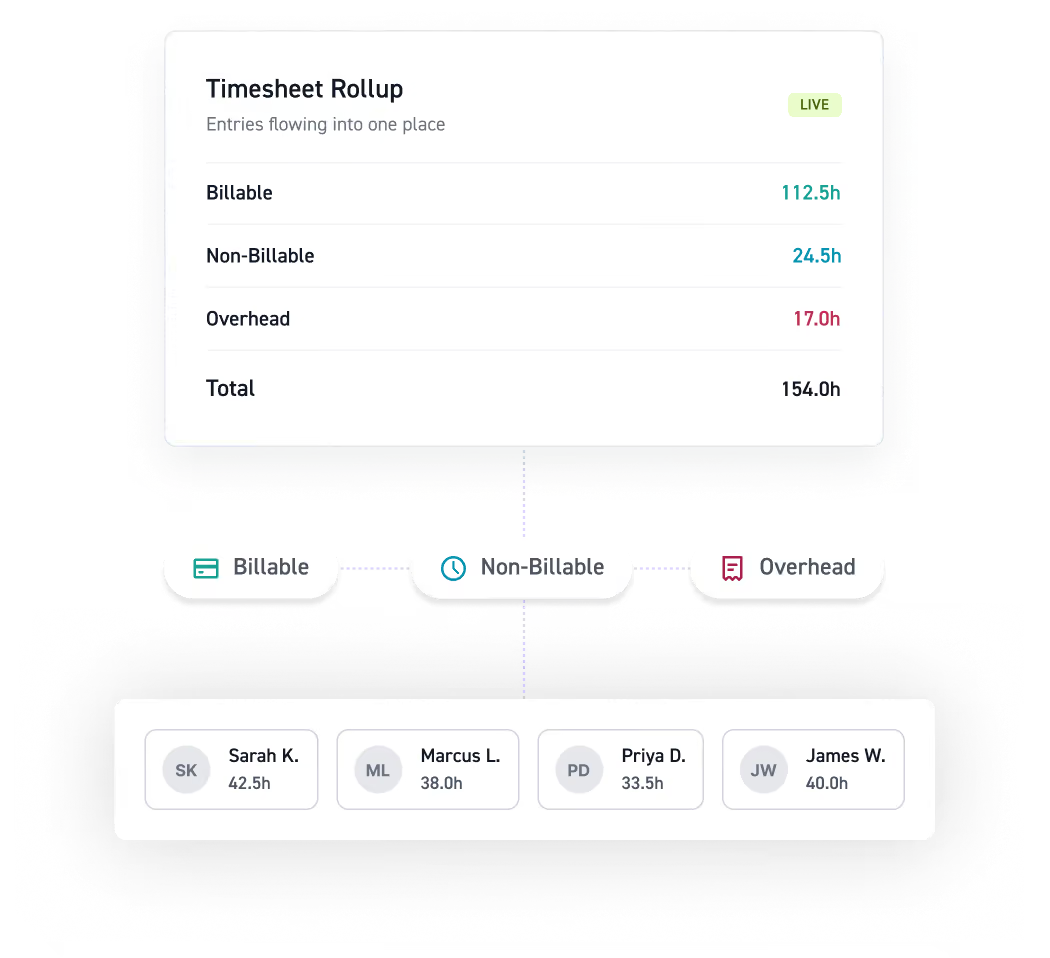
Every timesheet entry rolls up in real time, billable, non-billable, and overhead. See where hours really go, so you catch wasted time before it costs you.
Start planning with confidence
See how capacity planning keeps your team staffed and billable.



















Read more


Frequently asked questions
What can capacity planning software do for A&E firms?
Capacity planning software connects staffing, project schedules, team availability, resource capacity, workload planning, resource planning, resource allocation, resource utilization, and time off management so leaders can see where they have room to take on work and where the team may be approaching over-allocation. The right capacity planning tools help firms balance demand with the people and time available to deliver current and future work.
What's the difference between Utilization Rate and Capacity Forecast?
Utilization Rate looks back at how your team's time was spent, while Capacity Forecast looks ahead at staffed workload. Together, they connect time tracking with forward-looking resource management so firms can understand past resource utilization and future capacity. This gives project managers better information for resource planning, resource scheduling, project planning, project scheduling, and workload planning.
How is utilization rate calculated?
Utilization rate is calculated by dividing billable hours by available hours and multiplying by 100. Available hours account for working capacity, excluding time such as PTO. Since timesheets and time tracking feed utilization data, firms can see how actual time compares with planned workload and use those insights to improve resource forecasting, resource capacity, workload planning, and future resource allocation.
How can I tell when someone is overallocated?
Monograph's workload view compares planned hours against team availability to highlight over-allocation. You can spot when someone is overcommitted and adjust before it impacts milestones or delivery. Time off management, and leave management factor into available hours, helping firms build realistic capacity plans.
How does capacity planning help with hiring and future work?
Capacity planning software helps firms see when planned workload will exceed team availability. Demand forecasting and resource forecasting show when to hire or redistribute work, while financial forecasting connects those decisions to revenue impact. This visibility supports scalability by helping leaders plan resources before capacity becomes a bottleneck.
How does capacity planning connect to project and task management?
Project management starts with project planning, project scheduling, Gantt charts, and milestones to define the work. Resource planning, resource scheduling, and resource allocation match people to that work. Capacity planning ties them together so project managers can keep task management and delivery on track without overcommitting the team.
Can capacity planning help firms model different staffing scenarios?
Capacity planning software lets firms explore how changes in team availability, project scope, or new wins could impact workloads. This kind of scenario planning and scenario modeling supports more confident resource forecasting, resource allocation, project scheduling, and financial forecasting across the portfolio.
How is Monograph different from general capacity planning and resource management tools?
Capacity planning tools like Jira, Smartsheet, and Resource Guru handle task management, Gantt charts, project scheduling, resource scheduling, and team availability, but aren't built for A&E workflows. Professional services automation (PSA) and resource management software cover broader operations but lack phase-based planning. Monograph connects resource management, resource planning, resource allocation, time tracking, project management, project planning, and financial performance in one platform purpose-built for architecture and engineering firms.