
Know where every project stands before profit slips
Spot risk early and correct course faster with schedules, hours, budgets, fees, and deliverables connected in one platform.
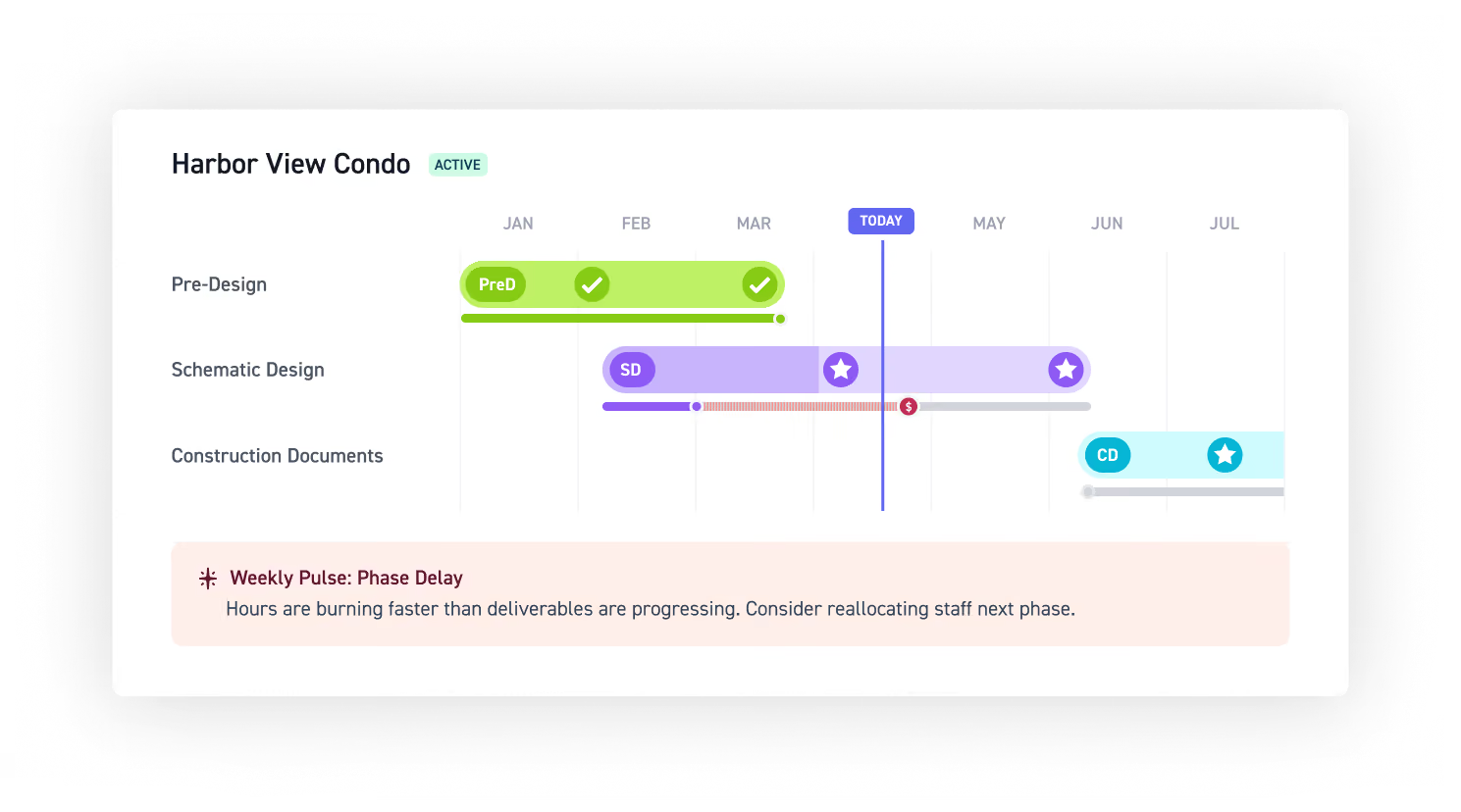
See ahead of risk. Protect project profit.
Identify risk early
Correct course proactively
Drive more profit
"Our firm loves using Monograph because we can actively see the status of every project: the work completed, the time remaining, the budget, and additional services. It's an effective tool to get the team on the same page quickly."

Turn time entries into a live view of project performance
Each time entry updates hours, budgets, and progress so you can easily spot work drifting off plan.
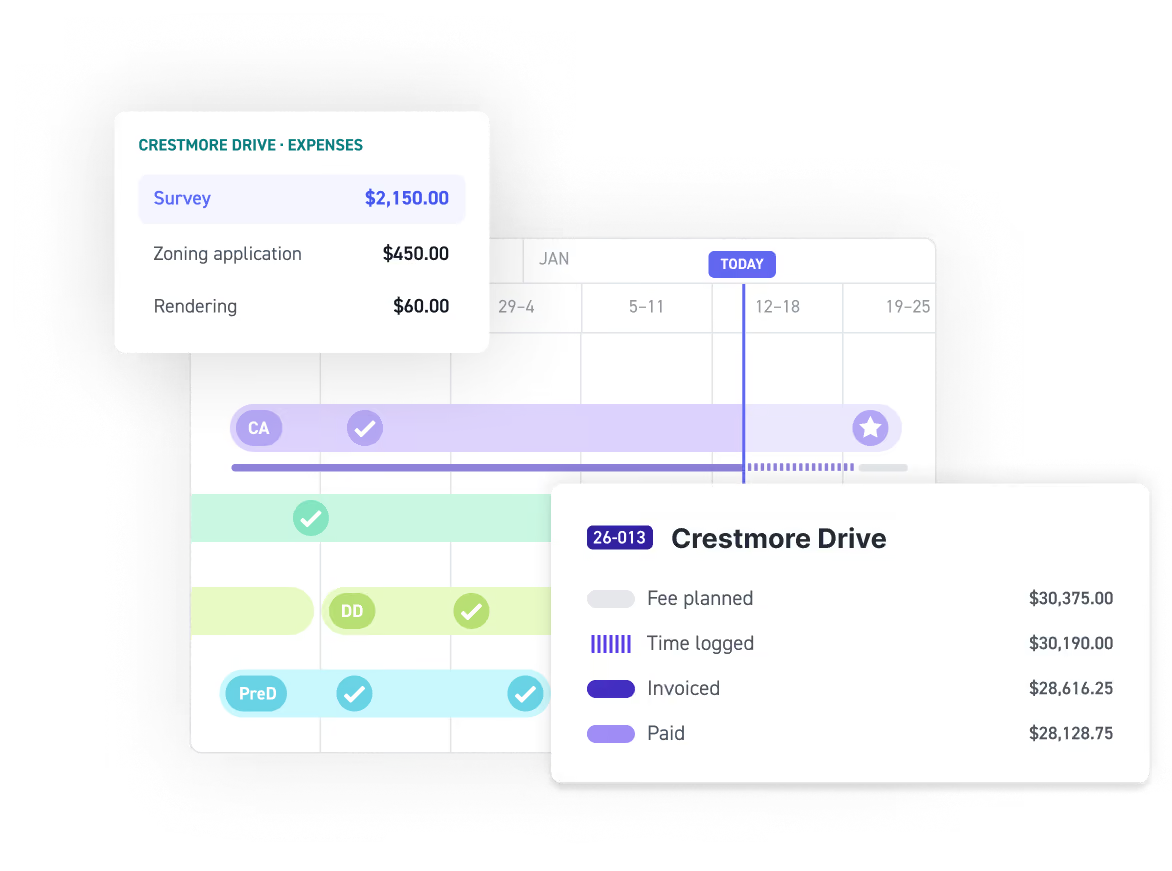
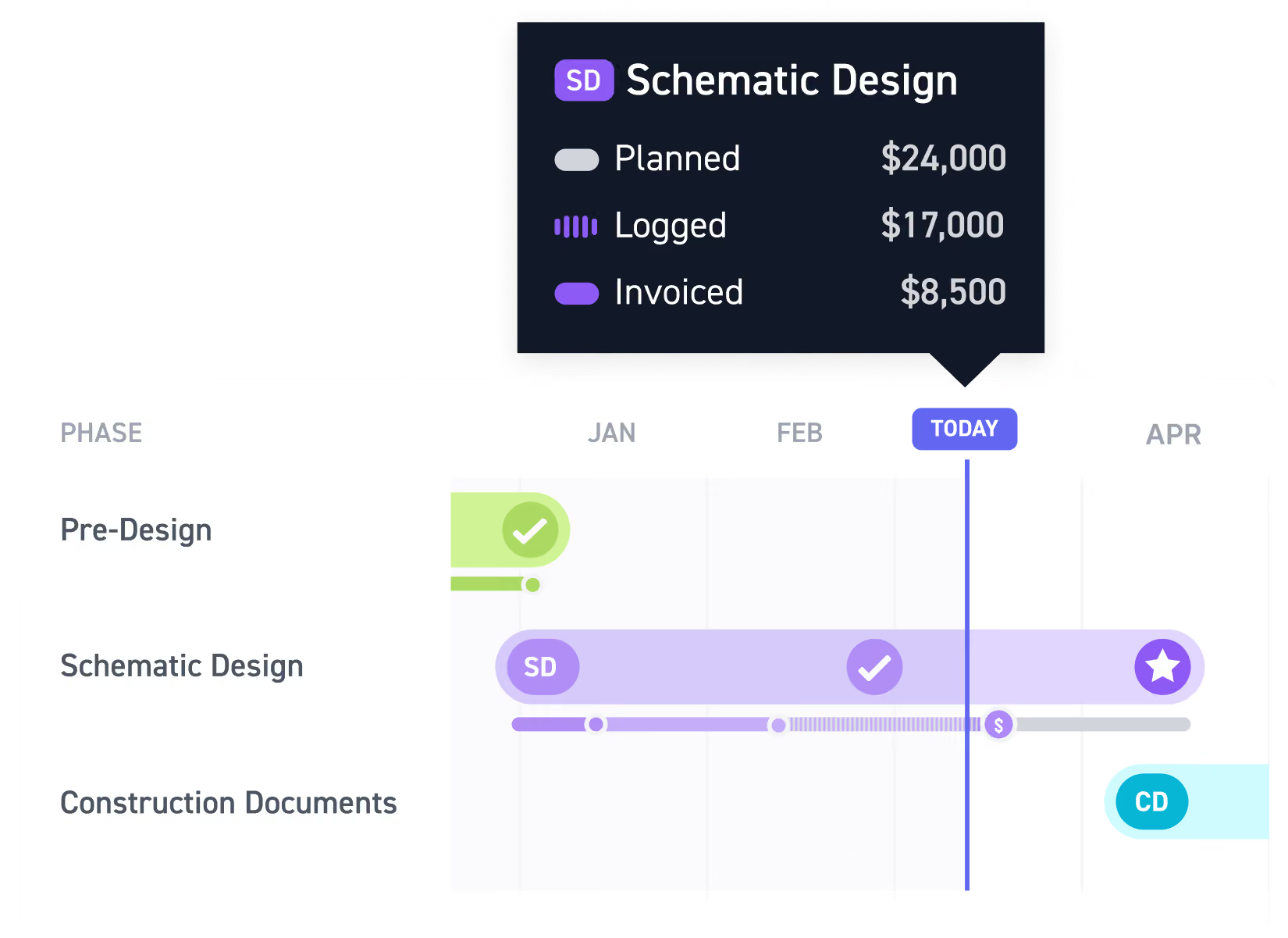
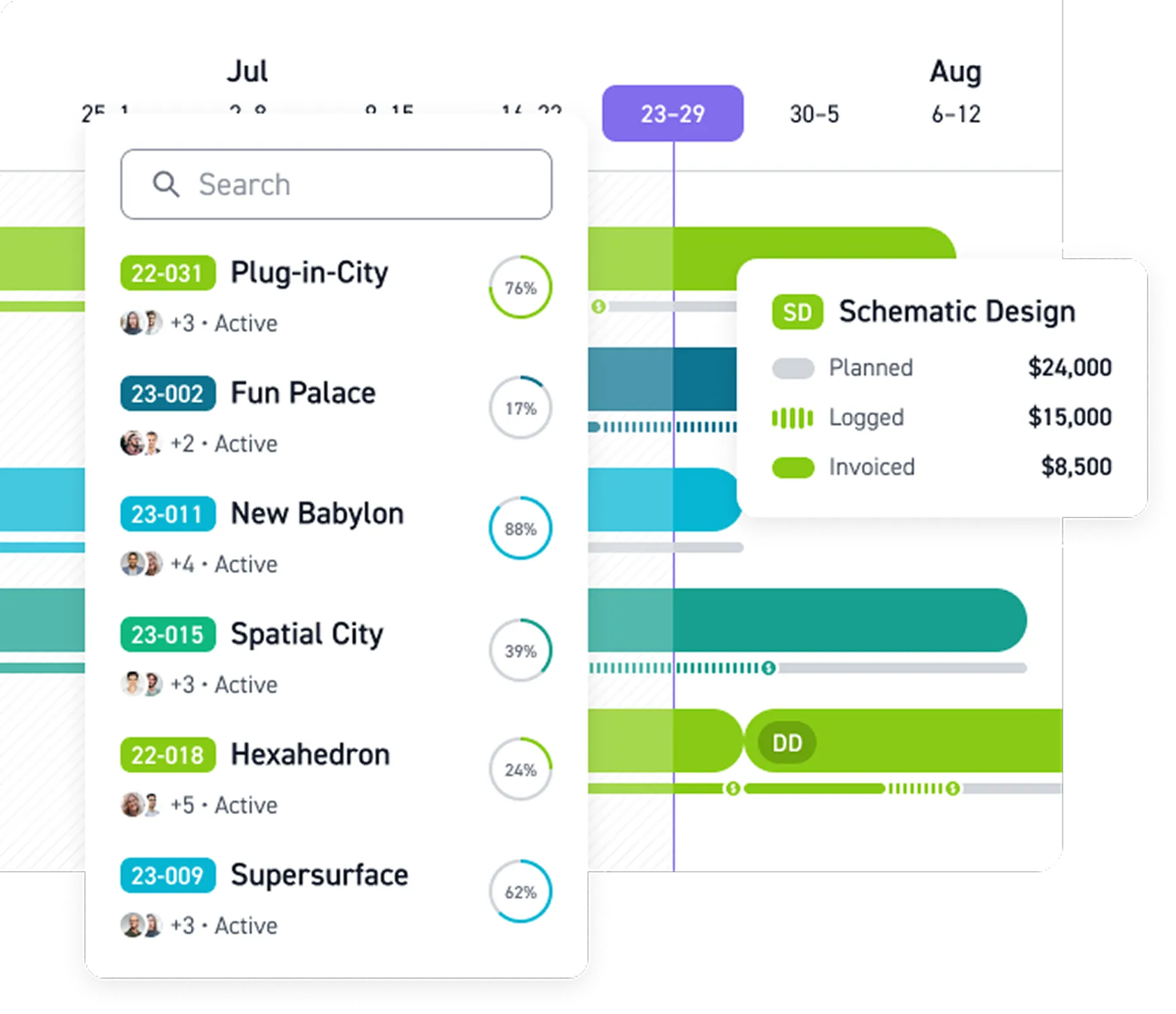
See profit and progress in one timeline
See planned budget overlaid against actual spend and payments on the schedule, so you see where you’re falling behind or over-budget.
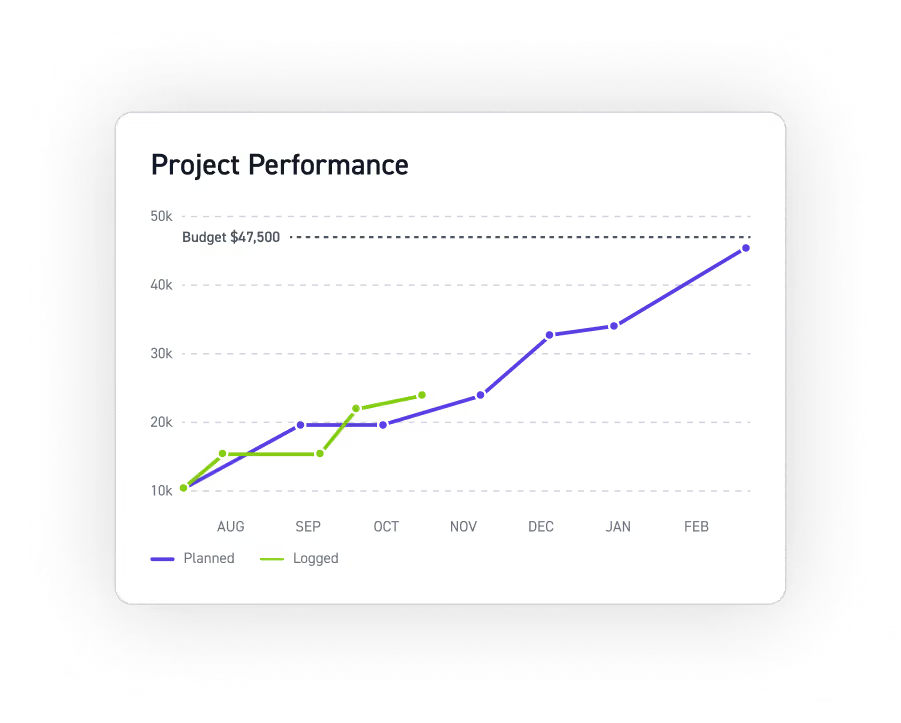
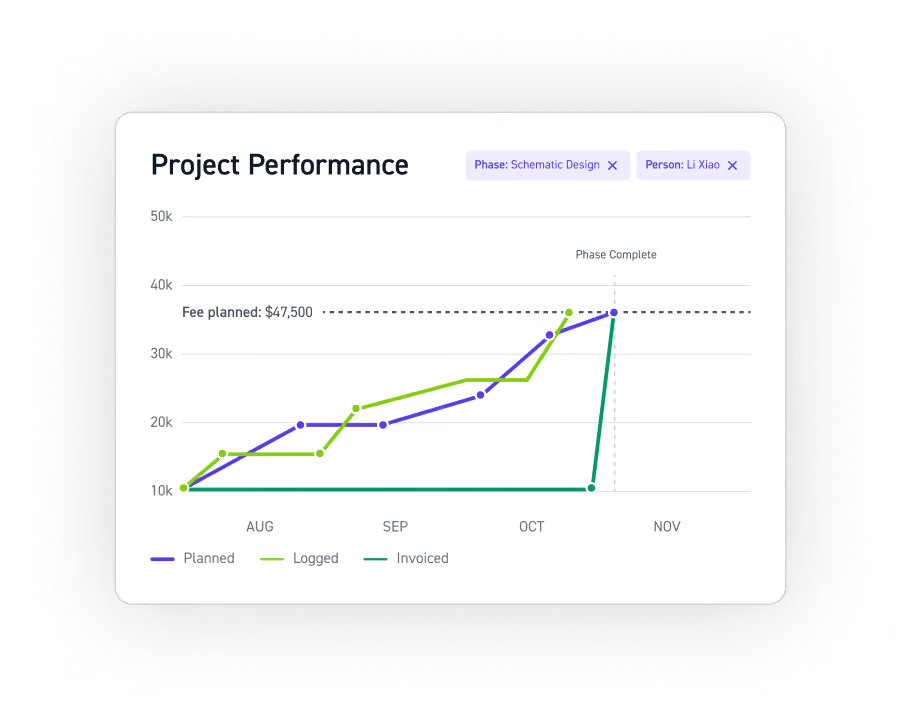
See exactly where performance slips
Compare actuals against the plan in a burn-up chart. Filter by phase or team member, then switch between hours and fees to spot what is off track.
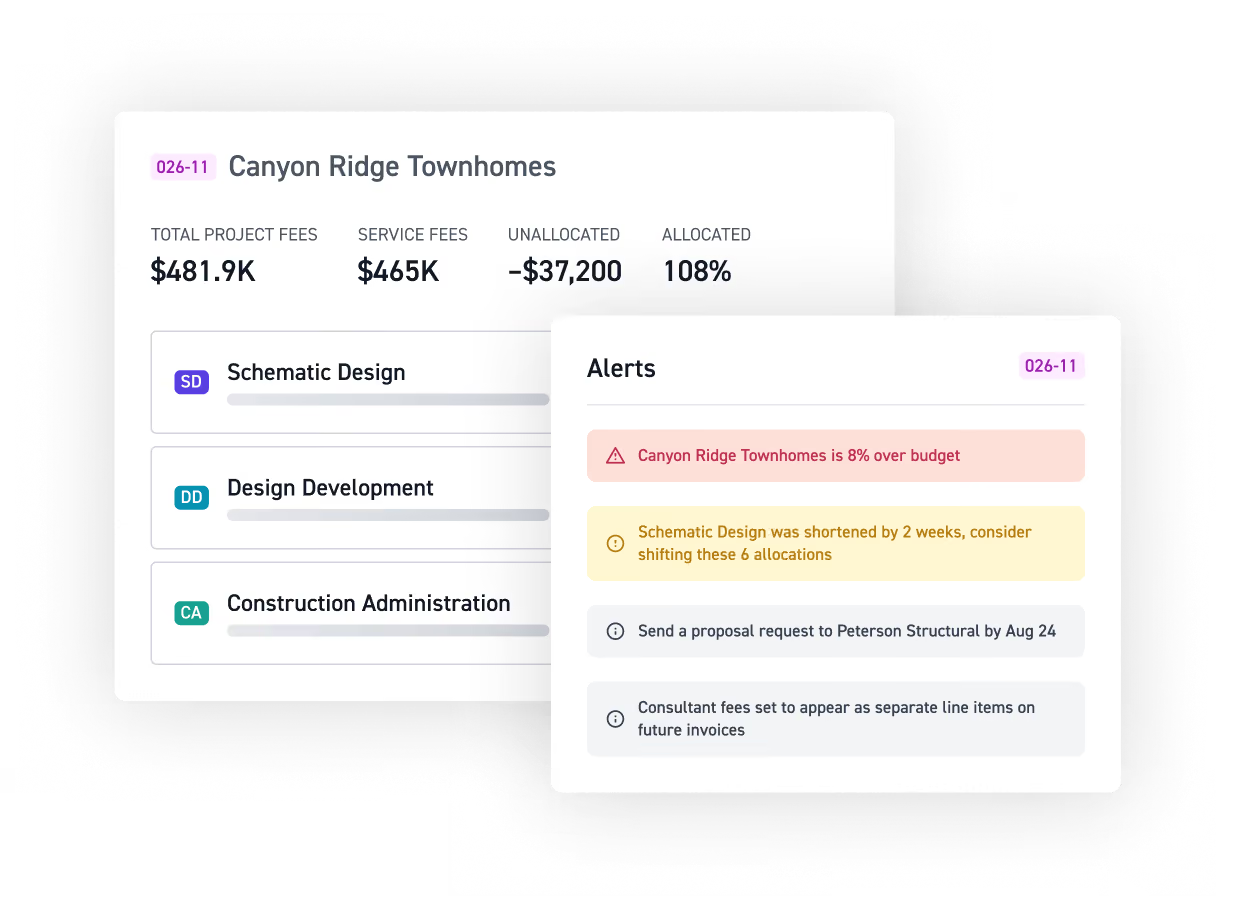
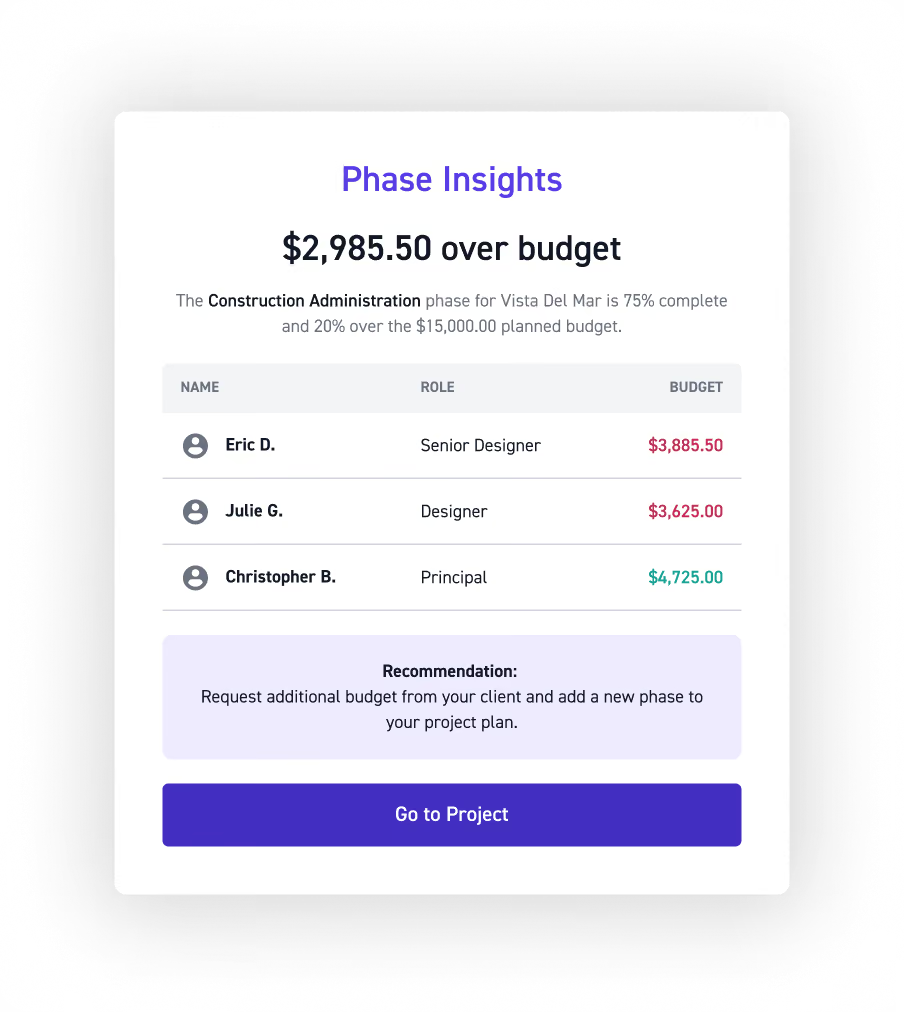
Stay ahead of budget and revenue risks
Surface budget overruns, revenue gaps, and planning drift before they cost you with automated alerts, weekly digests, and actionable recommendations.
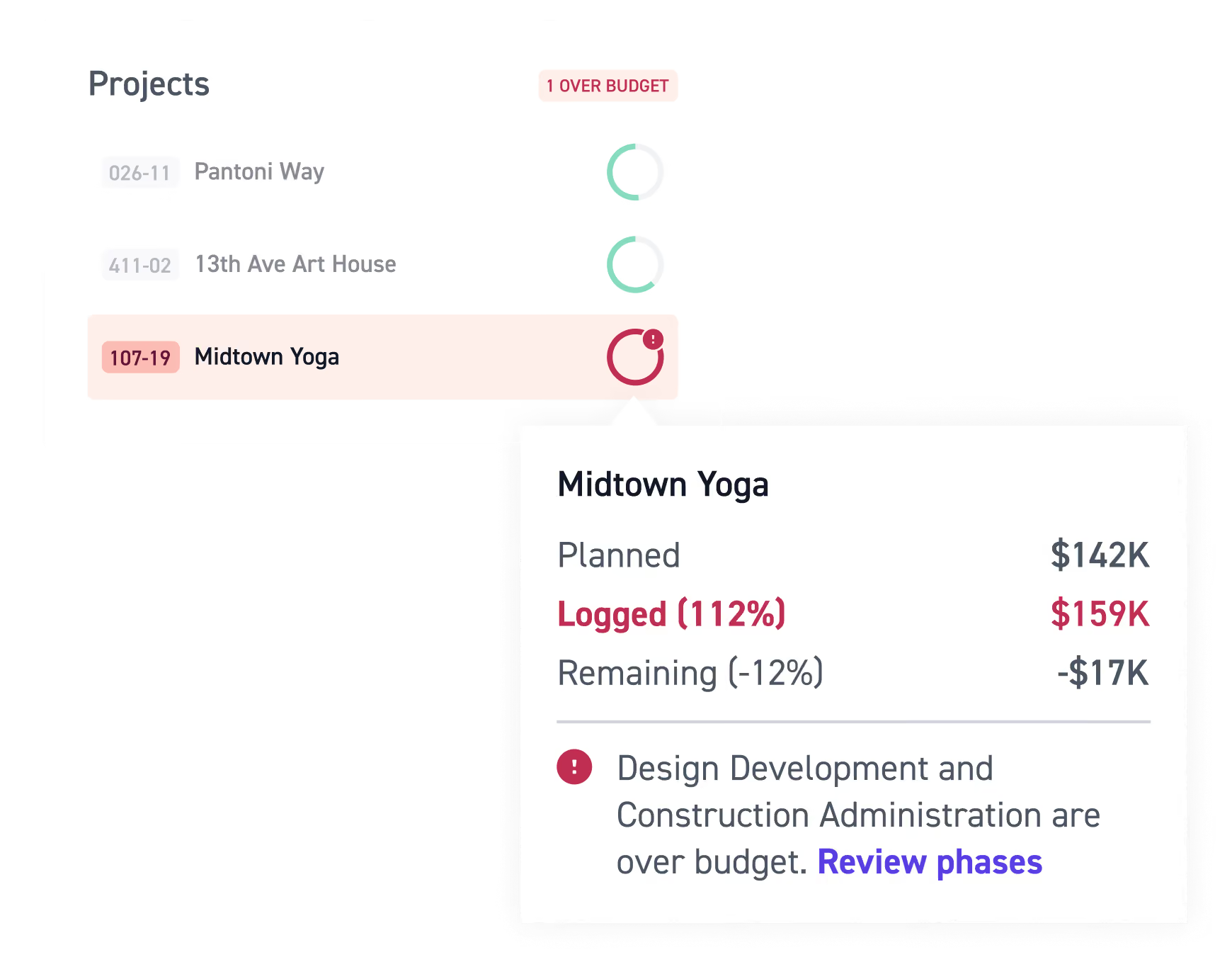
Know which projects are at-risk instantly
See all active projects ranked by budget consumption risk so you know exactly which projects need attention first and where to focus your time.
Every project in view. Every risk caught early.
See how Monograph keeps every project and your whole firm effortlessly on track.



















Read more


Frequently asked questions
How do I know which active projects need my attention?
Scan budget consumption, schedule progress, staffing, and financial metrics across your active projects to spot work going off track before it becomes a bigger problem. Monograph brings project management, resource management, project budgets, and forecasting together so project managers can quickly see where budget burn, staffing, or project performance needs attention. Good project cost management is ultimately about seeing changes early, before small issues turn into cost overruns or lost profit.
How do I know if a project is over budget before it's too late?
Track planned hours and fees against what's actually being logged and invoiced to see when a project or phase is moving off plan. Monograph alerts you when phases hit key project budget thresholds or are trending over budget, so project managers can make adjustments before cost overruns impact project profitability and profit margins. With staffing costs factored in, you see not just what you've billed but what the work is costing you — while it's still in progress.
Can I track project costs and performance at the phase level?
Yes. The Project Performance Report lets you filter by individual phase or person and toggle between hours and fees. This gives you project cost tracking at a more granular level, including billable hours and budget performance. For A&E firms, effective expense management and project cost management mean understanding how staffing costs, expenses, consultant costs, invoicing, and other project costs affect the budget throughout the project lifecycle. The Money Gantt adds a visual Gantt chart for seeing budget and project progress together over time.
How do time tracking and timesheets affect project performance?
Time tracking connects the hours your team logs to the right project and phase, so timesheets become part of your view of project performance. Comparing planned hours with actual billable hours helps project managers understand staffing costs, budget consumption, and where work may be taking longer than expected. Accurate time tracking, timesheets, and expense tracking also give firms better data for invoicing, financial reporting, cost estimation, and future project budgeting. Over time, that historical project data can help teams create better cost estimates for similar work.
What happens when actual performance doesn't match the original plan?
Monograph lets you compare planned project performance with actual hours, fees, and invoiced amounts as work progresses. These project controls help project managers identify planning drift, budget overruns, and changes in performance earlier in the project lifecycle, while there's still time to correct course. That visibility can also help teams identify scope creep, revisit resource allocation, and improve cost estimation and forecasting for future projects.
How does project tracking help with resource planning?
Project performance and staffing data work together to show how planned hours compare with the work your team is actually completing. This gives project managers more context for resource planning and resource allocation as project schedules, budgets, and staffing needs change. Connecting resource management, resource allocation, and project management also helps firms understand how staffing decisions and staffing costs affect project budgets, forecasting, and project profitability.
Do I have to check the platform constantly to stay on top of things?
No. Weekly Pulse is generated automatically and highlights meaningful project updates like upcoming deadlines, new invoices, timeline changes, notes, and comments. Users with the appropriate permissions can also see financial details, including phases trending over budget and why. Instead of manually pulling together time tracking, timesheets, invoicing, project budgets, and financial reporting, project managers get a more current view of project performance and potential risks.
How is Monograph different from general project cost tracking software?
Project cost tracking software and project cost management software can cover cost estimation, expense tracking, time tracking, resource planning, invoicing, and financial reporting. Monograph brings key project management and financial workflows together specifically for architecture and engineering firms, while firms can continue using accounting software like QuickBooks Online for broader firm accounting.