
Build the right team, every time
Plan project hours, get AI staffing recommendations, invite consultants, and keep workloads balanced before budgets or teams are stretched.
Staff every project with confidence
Know who's available, assign the right people, and keep internal teams and consultants working together.
Keep workloads balanced
Staff the right people
Stop chasing consultants
“Our Studio Director and I love the Monthly Staffing view. It helps us see gaps and overburdens at a glance, and see when we can feasibly take on more work.”

Staff projects and consultants together
Assign your team and consultants once while workload, notes, and bills automatically stay balanced and current.
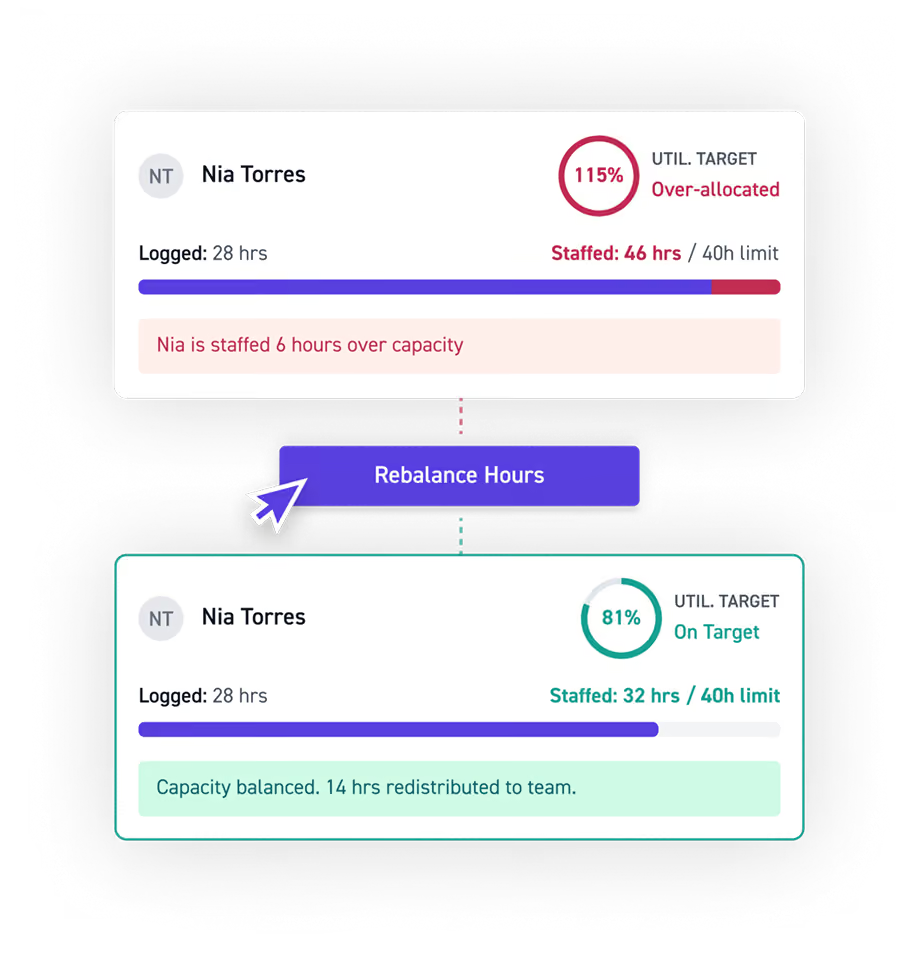
Adjust capacity
See the moment someone's workload shifts out of balance, then rebalance hours across the team in a click.
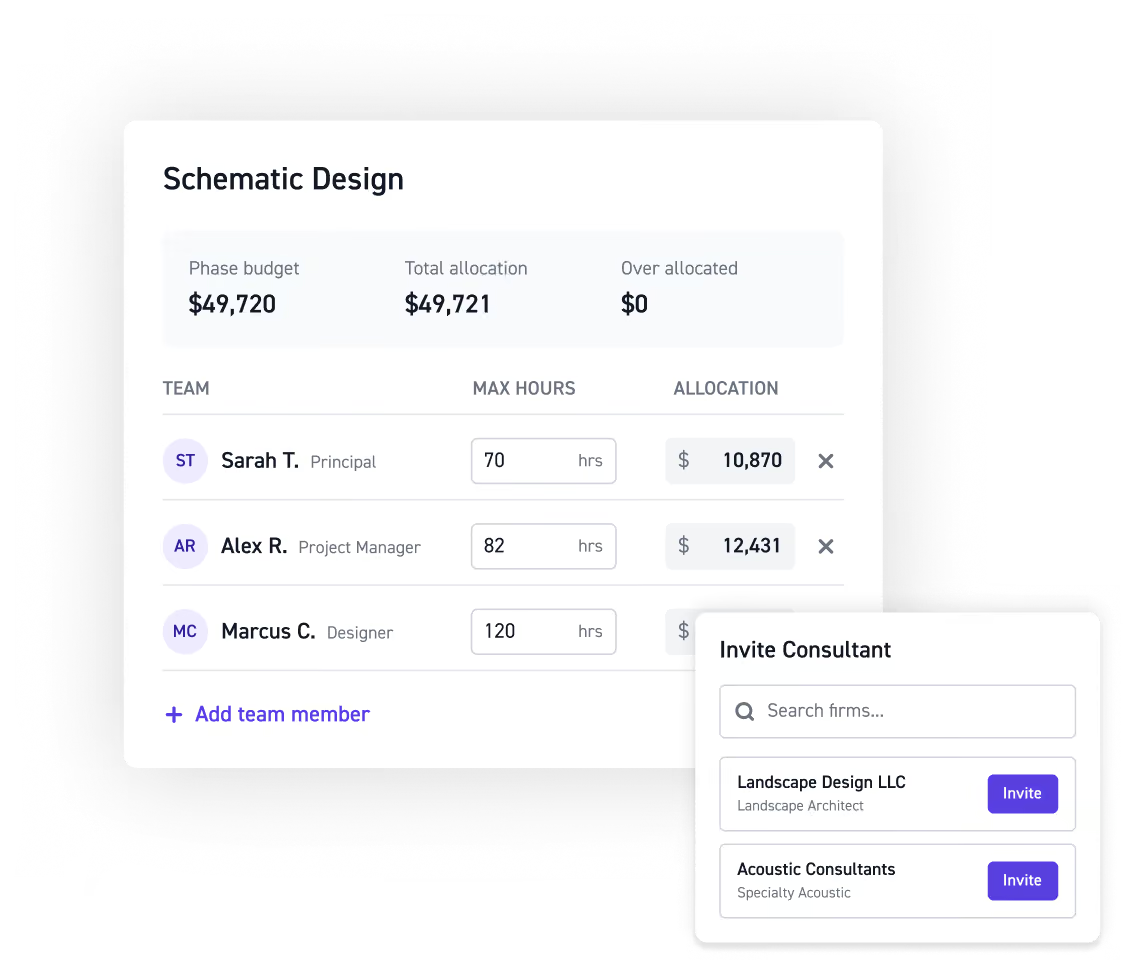
Staff each phase
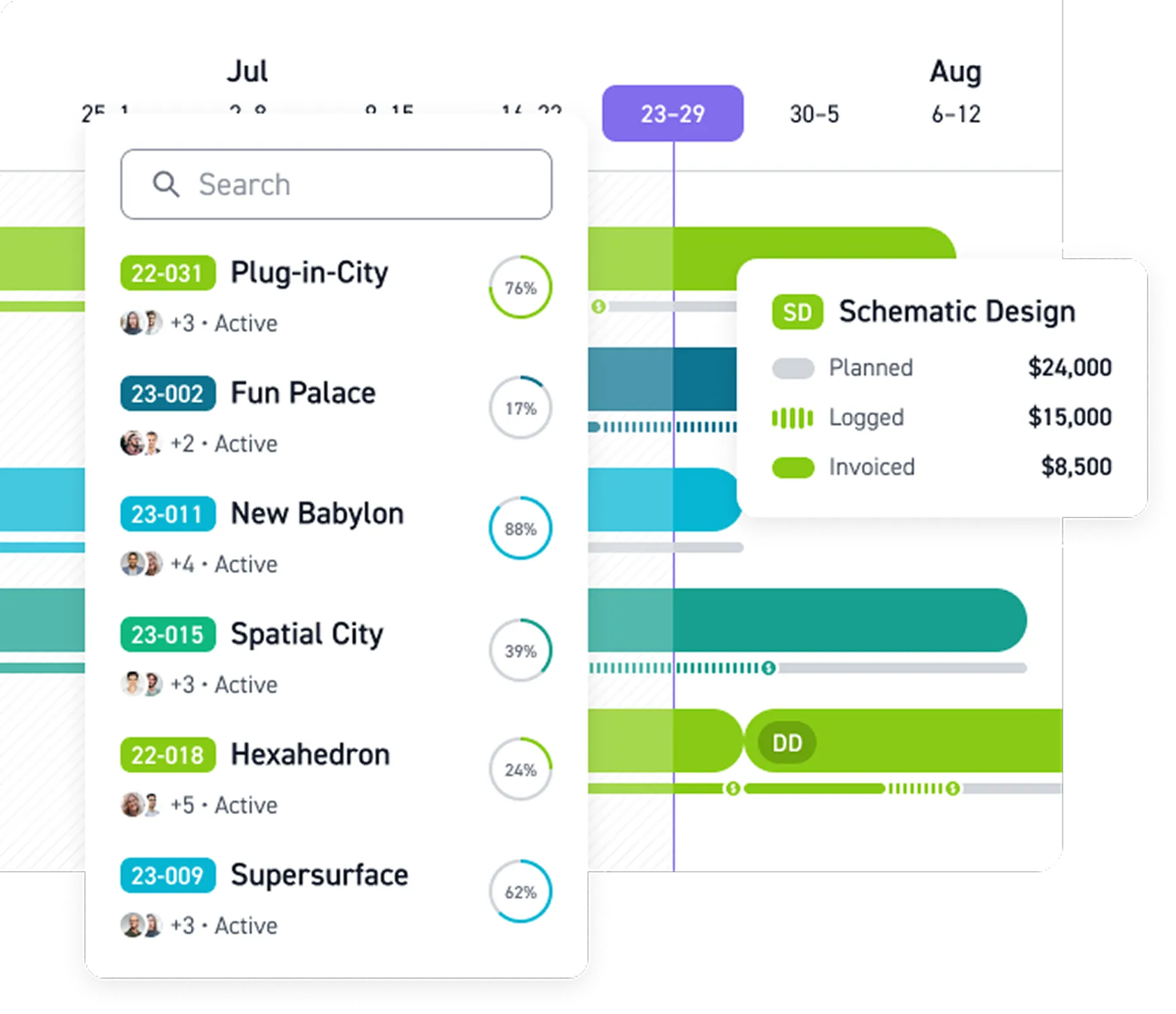
Assign your team and outside consultant firms to a phase, with clear roles, rates, budgets, and markups.
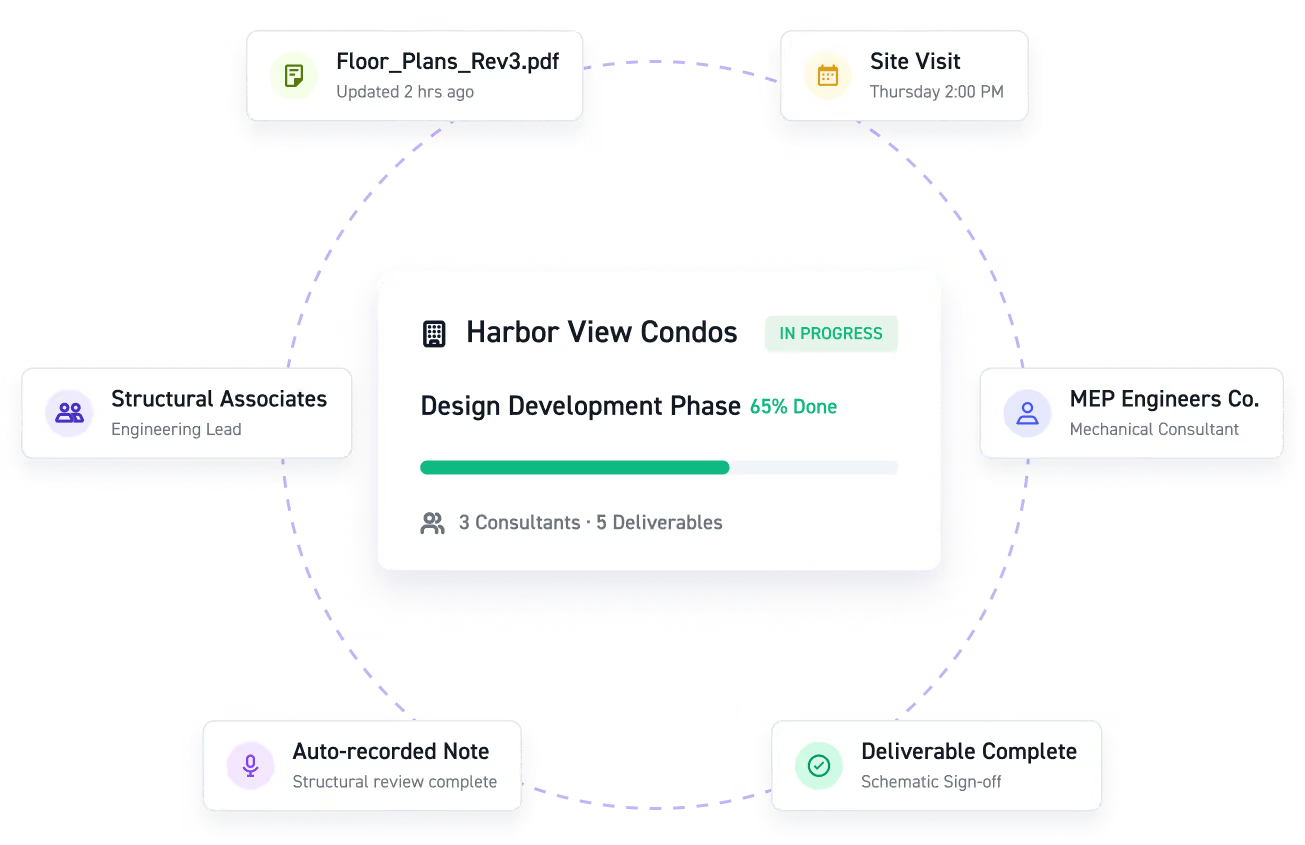
Align your teams
Keep your team and consultants aligned on timelines, milestones, deliverables, and billing so coordination happens in one place.
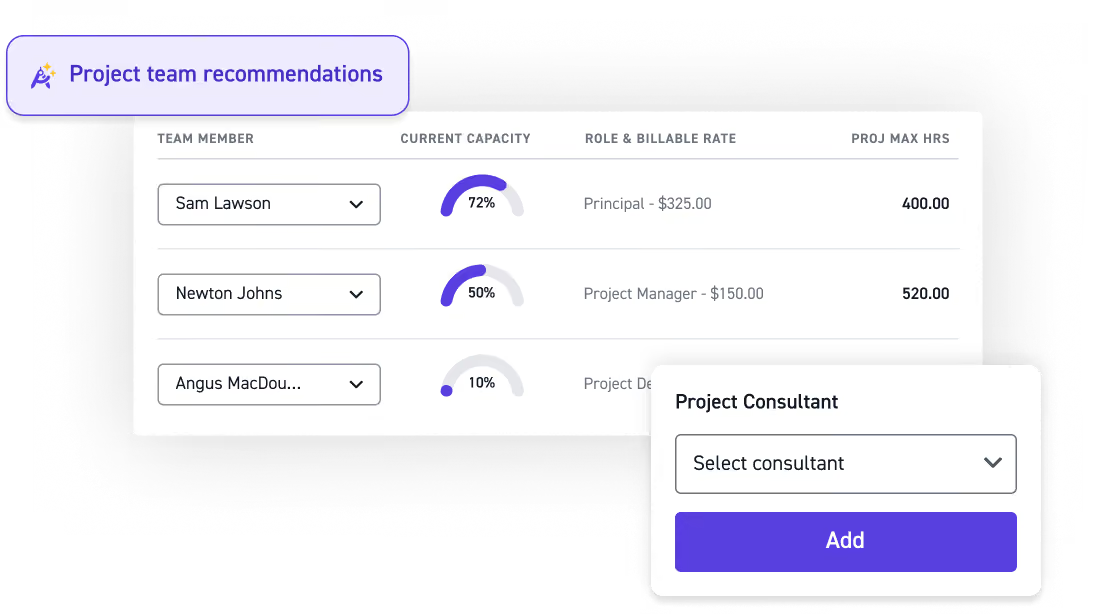
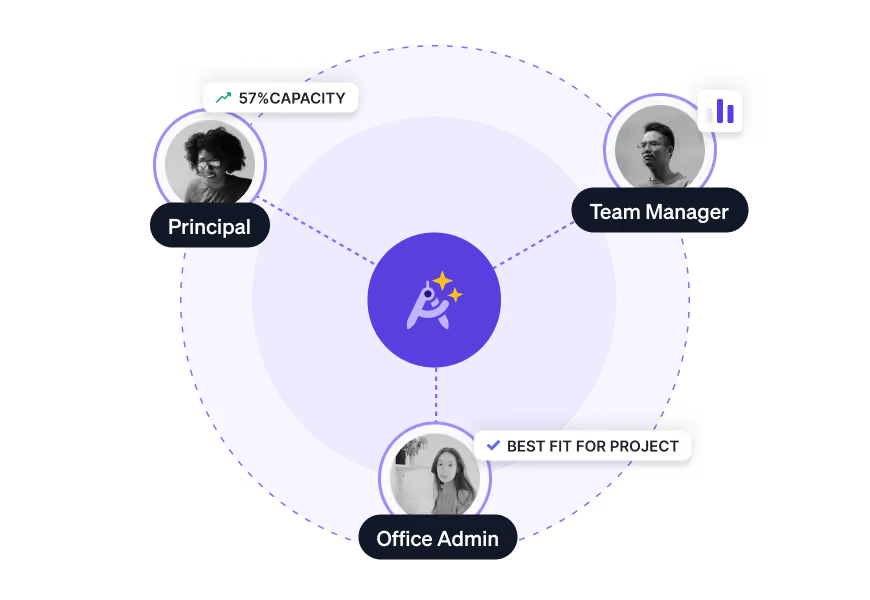
Team recommendations
Define roles and rates per phase, then use AI to recommend best-fit team members based on relevant project experience and real-time availability across every phase.
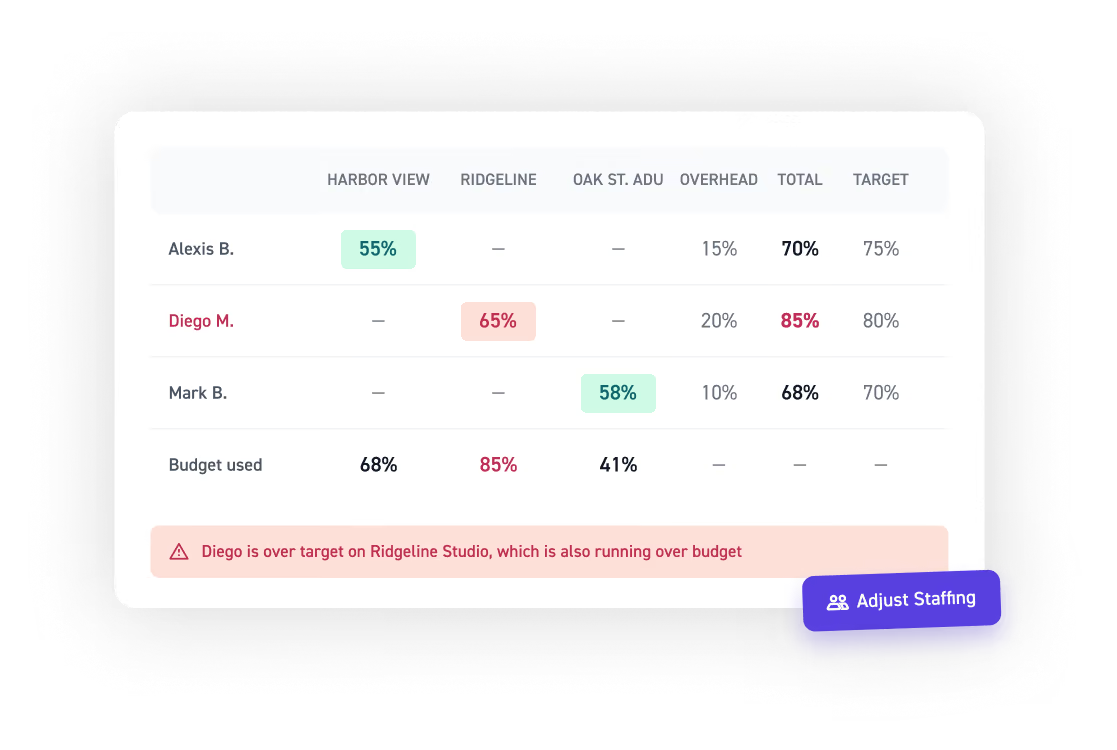
See utilization and rebalance workloads
Set utilization targets per person, see who's over or under capacity at a glance, and shift hours across projects and teams without the manual math.
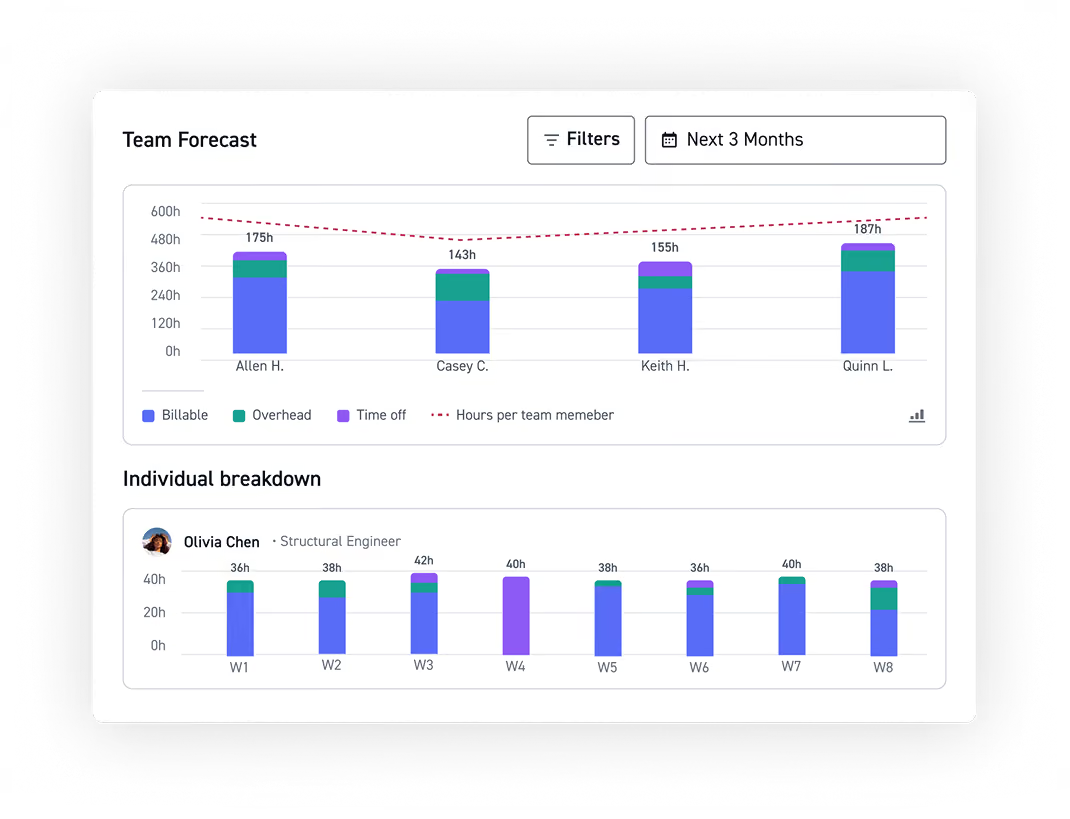
Know if you can take on more work
Compare existing staffing commitments against prospective lead workloads to see whether your team has capacity before you say yes to a new project.
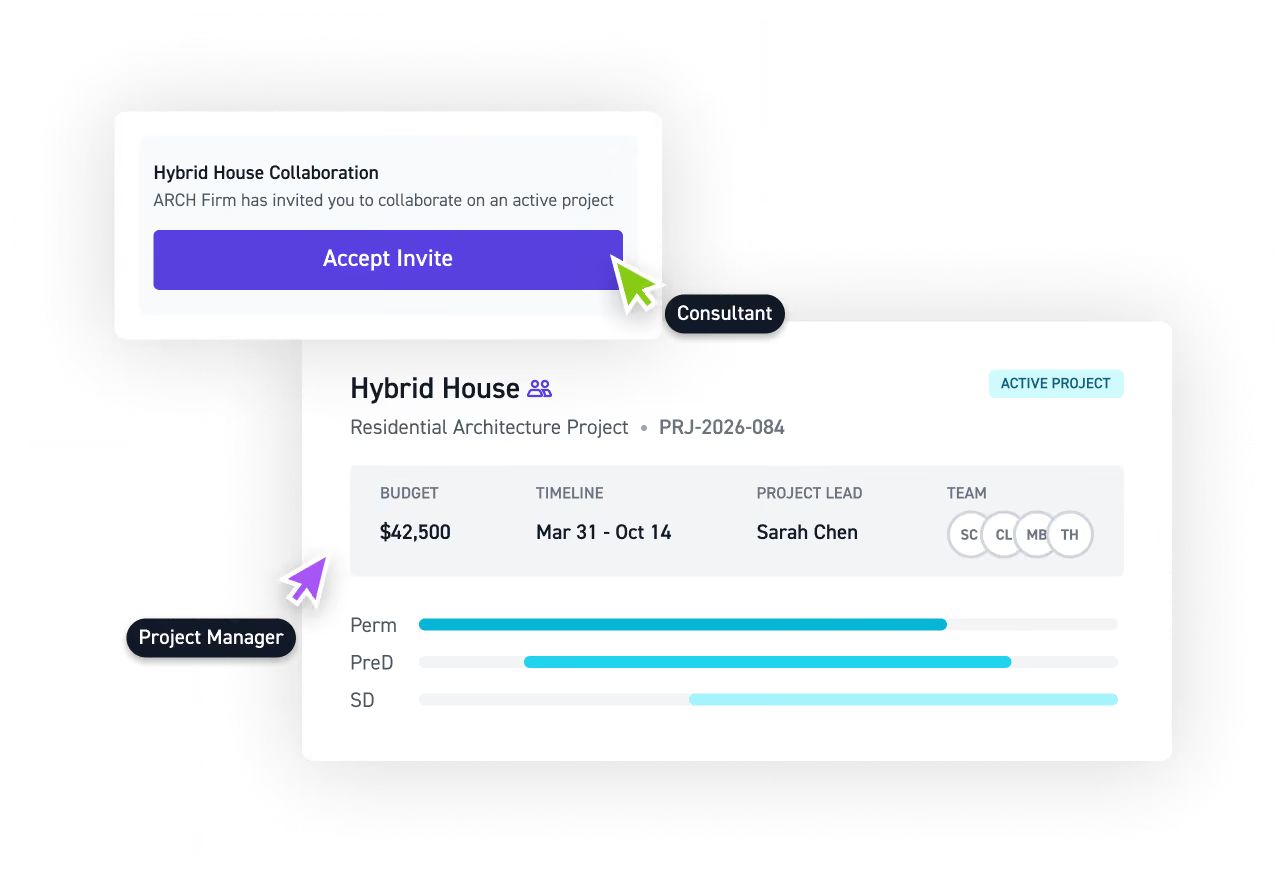
Invite consultants for free
Invite consultant firms into a shared workspace for any project or phase at no added cost, with milestones, deliverables, and timelines visible from day one.
Staff projects with the right people, faster
See how Monograph keeps your project staffed and everyone aligned.



















Read more


Frequently asked questions
Can I staff at the weekly or monthly level?
Yes. Monograph lets you view staffing by week, month, three months, or year, depending on how far ahead you need to plan. These views give you visibility into team availability, resource utilization, and workload balance, making it easier to adjust resource planning as project needs change.
Can I see staffing at both the person and project level?
Yes. The People view shows each person's workload across all their projects. The Project view shows those assigned to a single project. Both are connected, so changes in one are reflected in the other. Project managers get visibility into resource availability, team capacity, and resource allocation across the firm.
Can someone be assigned different roles on different phases?
Yes. A team member can be a Project Manager on one phase and a Designer on another, each with its own rate. This flexibility mirrors how A&E teams actually work across project stages. It also helps firms understand how billable hours and resource utilization are distributed across roles, phases, and projects.
How does Monograph help balance workloads and utilization?
Monograph lets you set utilization targets and compare planned hours against capacity to see who's over or underallocated. This makes capacity management and resource scheduling easier by helping teams maintain workload balance, understand billable utilization, and make staffing decisions before workloads become a problem.
How does Monograph handle frequent staffing plan changes?
Adjust hours per person per phase directly in the staffing view as plans change. This helps teams keep resource management and project planning aligned as project schedules, resource availability, and team capacity shift.
How do time tracking and timesheets connect to staffing?
Time tracking gives firms visibility into how planned staffing compares with the hours teams actually work. With timesheets, billable and non-billable hours, project plans, and staffing data connected, firms can better understand resource utilization, improve future resource planning, and see how staffing decisions affect project profitability. This also helps teams understand how much capacity is going toward billable projects versus non-billable work.
How is Monograph different from resource and time tracking tools like Harvest, Asana, or Jira?
Harvest offers time tracking and invoicing, while tools like Asana and Jira provide general project management and task management capabilities across many industries. Monograph is built specifically for A&E firms, connecting resource planning, time tracking, project management, project accounting, invoicing, and project profitability. Instead of managing staffing in a separate time tracking software or project management tool, A&E firms can see team availability, utilization, project demand, and financial performance together, with a QuickBooks Online integration that connects project and accounting data.