
Lead management made easy
Move faster from first conversation to signed work with lead information in one place.
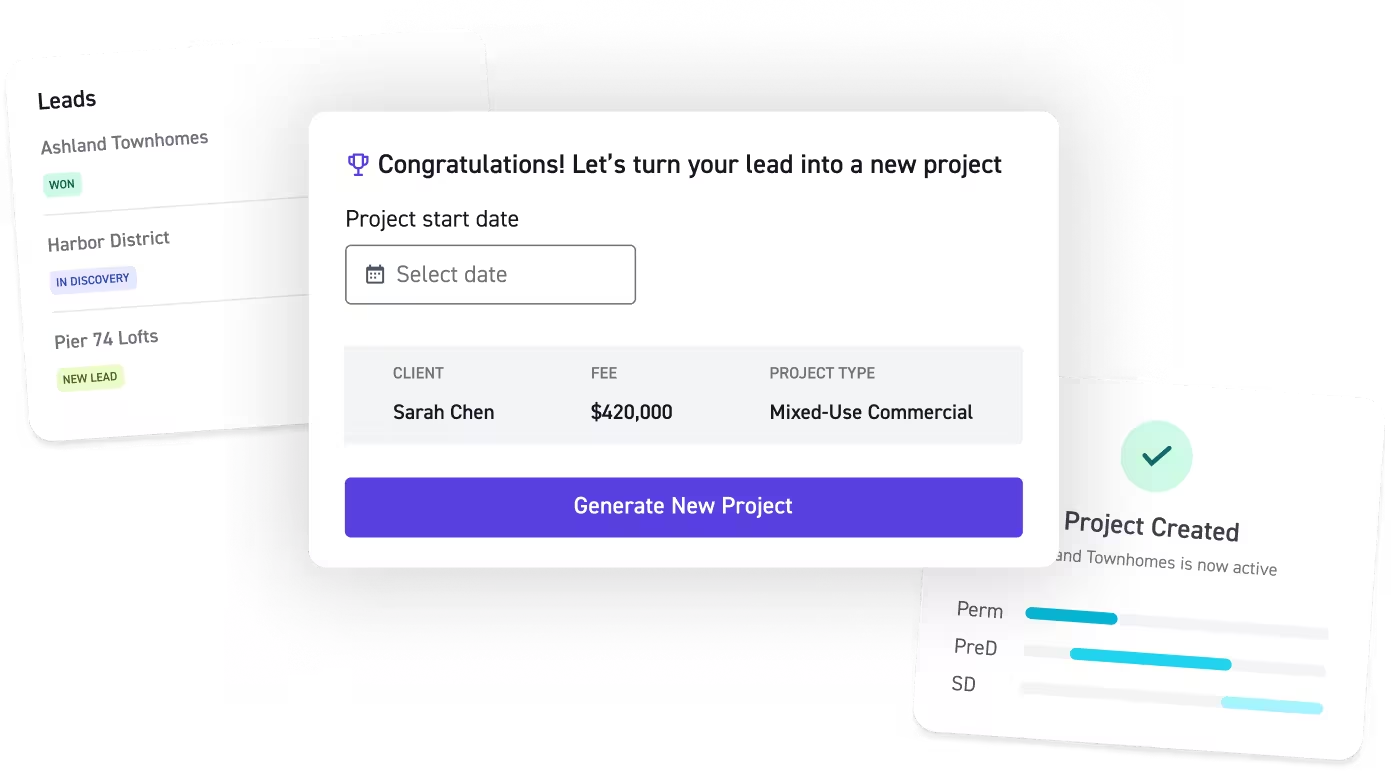
Spend less time managing your pipeline
See every opportunity in one place while AI handles the manual work that slows your team down.
Know what needs attention
AI-driven admin
“Pipeline has really given us a clear view of staffing our opportunities as well as our win rate. It’s been a great tool and given us really valuable insight into our business.”

Leads without the lift
Manage every lead with full visibility and spend more time on the work that pays.
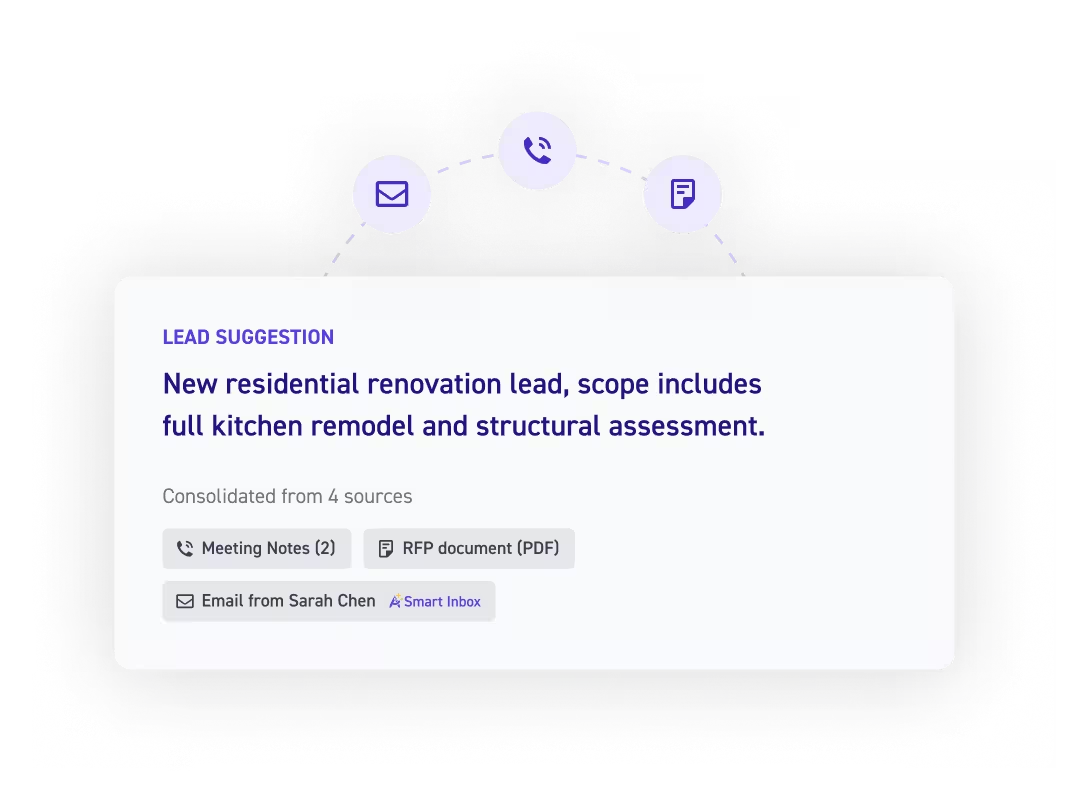
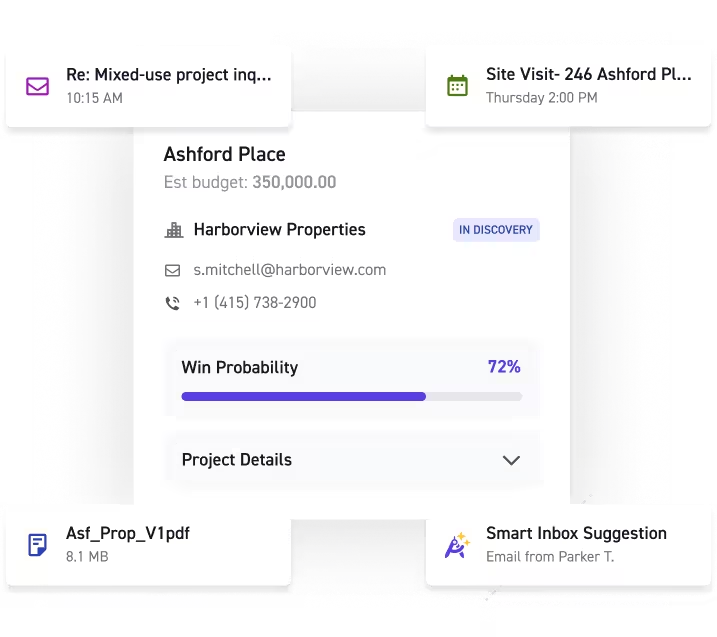
AI-assisted lead creation
Log opportunities the moment they happen, not when someone remembers to update a spreadsheet.
- Capture leads and contacts from Gmail or Outlook automatically
- Import context from calendar events, files, and meeting notes
- All information automatically appears on the lead record
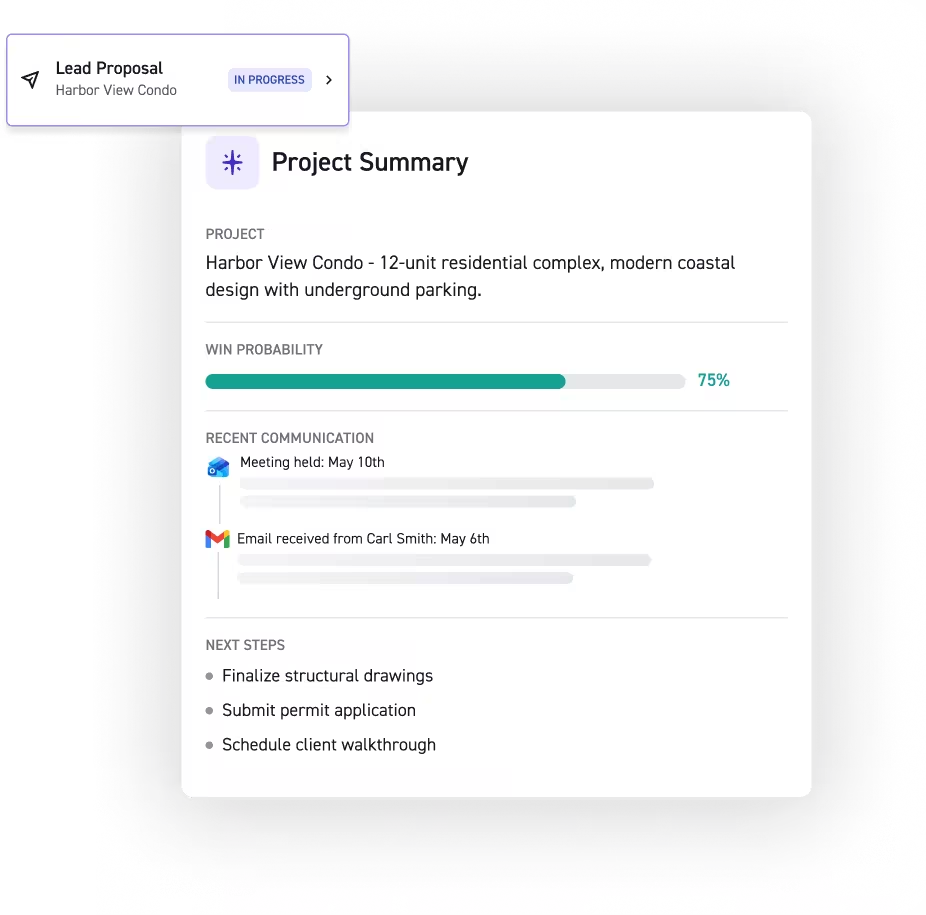
Full pipeline visibility
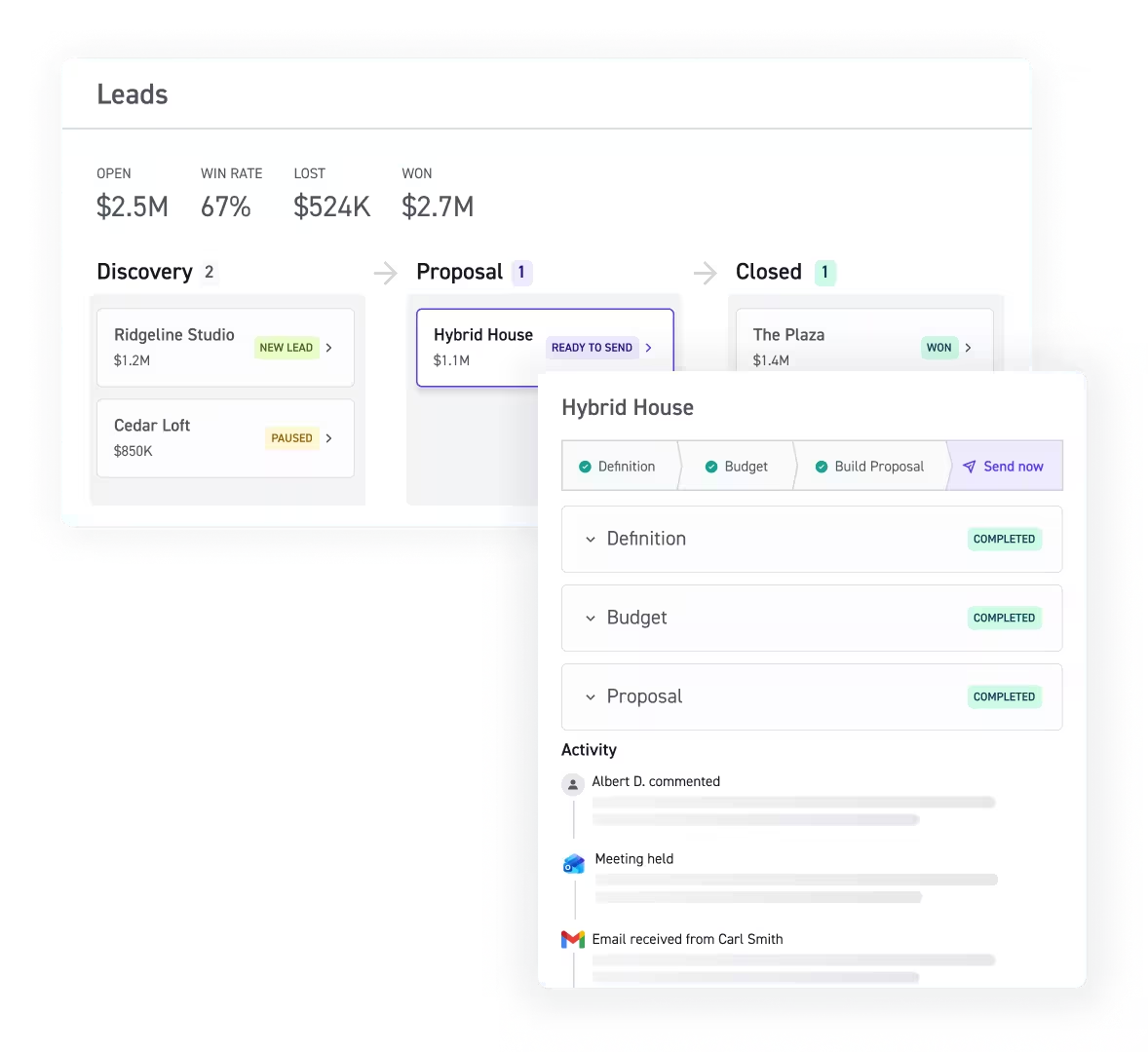
Centralize lead tracking in a pipeline dashboard. See stage, status, activity, timelines, and history in one consolidated view.
Easy budget builder
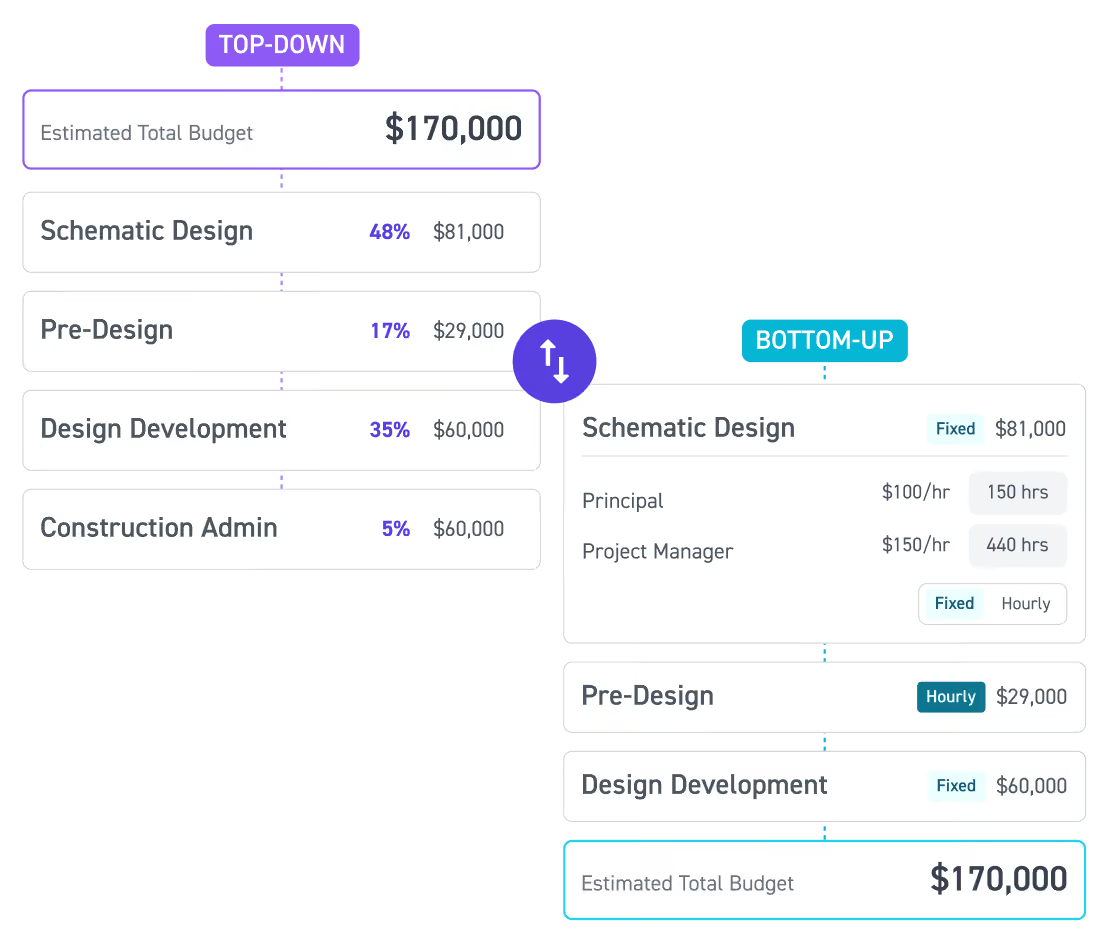
Build top-down (fee-first) and bottom-up (scope-first) rough-order budgets in minutes, so you can size opportunities quickly and keep your pursuits warm.
Make pipeline management easy
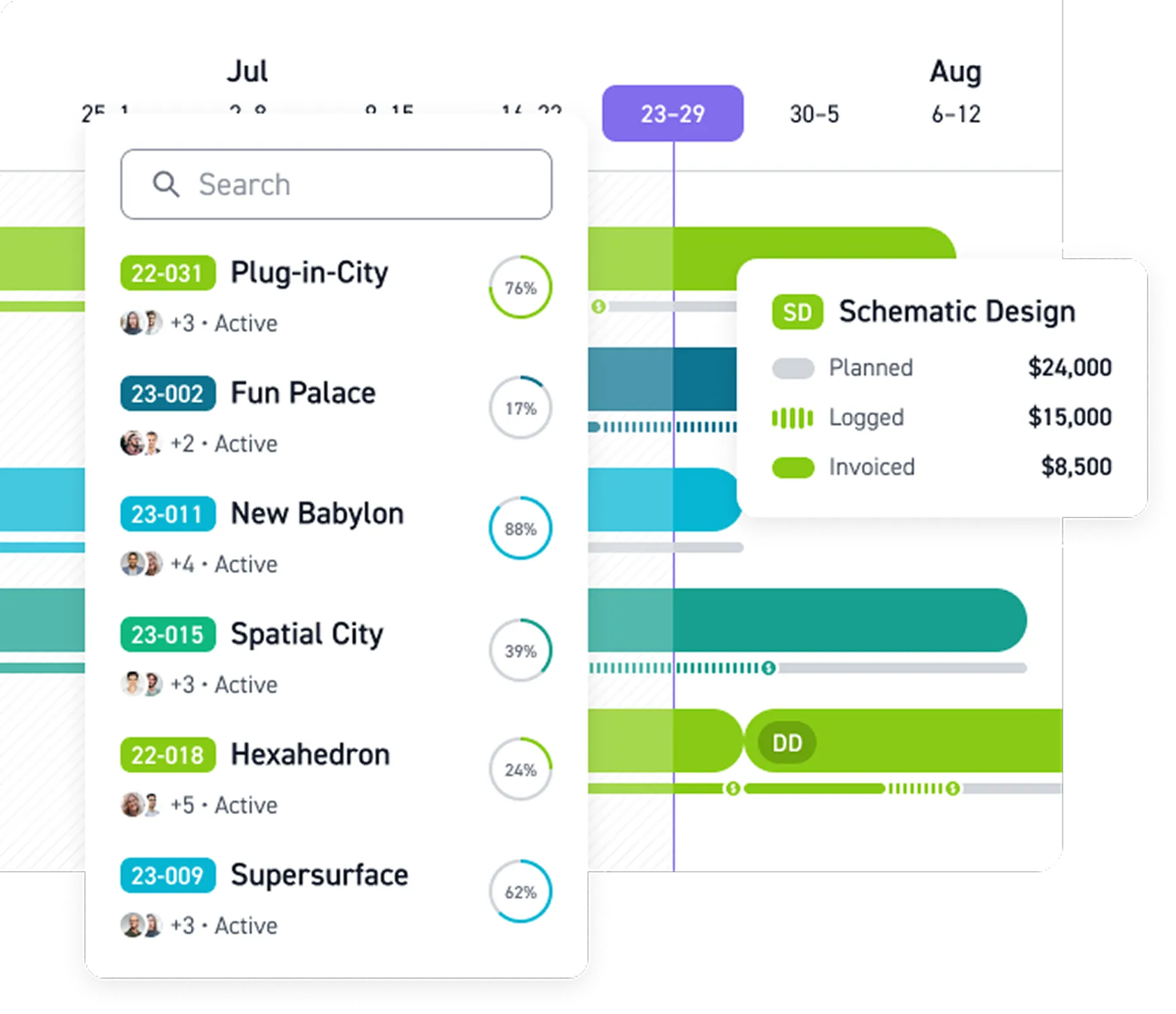
Stop chasing leads and focus on the work that matters.



















Read more


Frequently asked questions
What is sales pipeline management for architecture and engineering firms?
Sales pipeline management tracks leads and prospective projects through the sales process, from first contact to signed work. Monograph's pipeline management software gives A&E firms one place to manage their sales pipeline, by tracking opportunities, deal stages, status, budgets, activity, timelines, and history, so teams know which deals need attention.
How does pipeline management fit into project management?
Pipeline management tracks potential projects through the sales funnel before they become active work. Pipeline management software keeps opportunities, scope, budgets, and client info in one place, connecting your sales process with your PM tool without losing context. From early ideation through the project lifecycle, teams keep information connected and make better decisions about resource planning and upcoming work across the project pipeline.
What can I track in Monograph's sales pipeline?
Monograph's pipeline management tools let teams track leads by stage, owner, status, budget, activity, timelines, history, last activity, and next step. The dashboard centralizes this information so teams can see where opportunities stand and follow up before deals stall. Monograph also uses AI-agent workflow automation to capture meeting notes, update opportunity details, and create follow-up tasks, reducing manual work across lead management and deal management.
Can Monograph help with sales forecasting and resource allocation?
Yes. Monograph connects prospective work with forecasting and capacity planning. The Leads Revenue Forecast Report shows how pipeline leads and projects contribute to your revenue forecast, while the Leads Capacity Report compares leads with staffing and team capacity — supporting sales forecasting, resource allocation, and better decisions about the work your firm is pursuing.
Can I build a project budget before an opportunity is won?
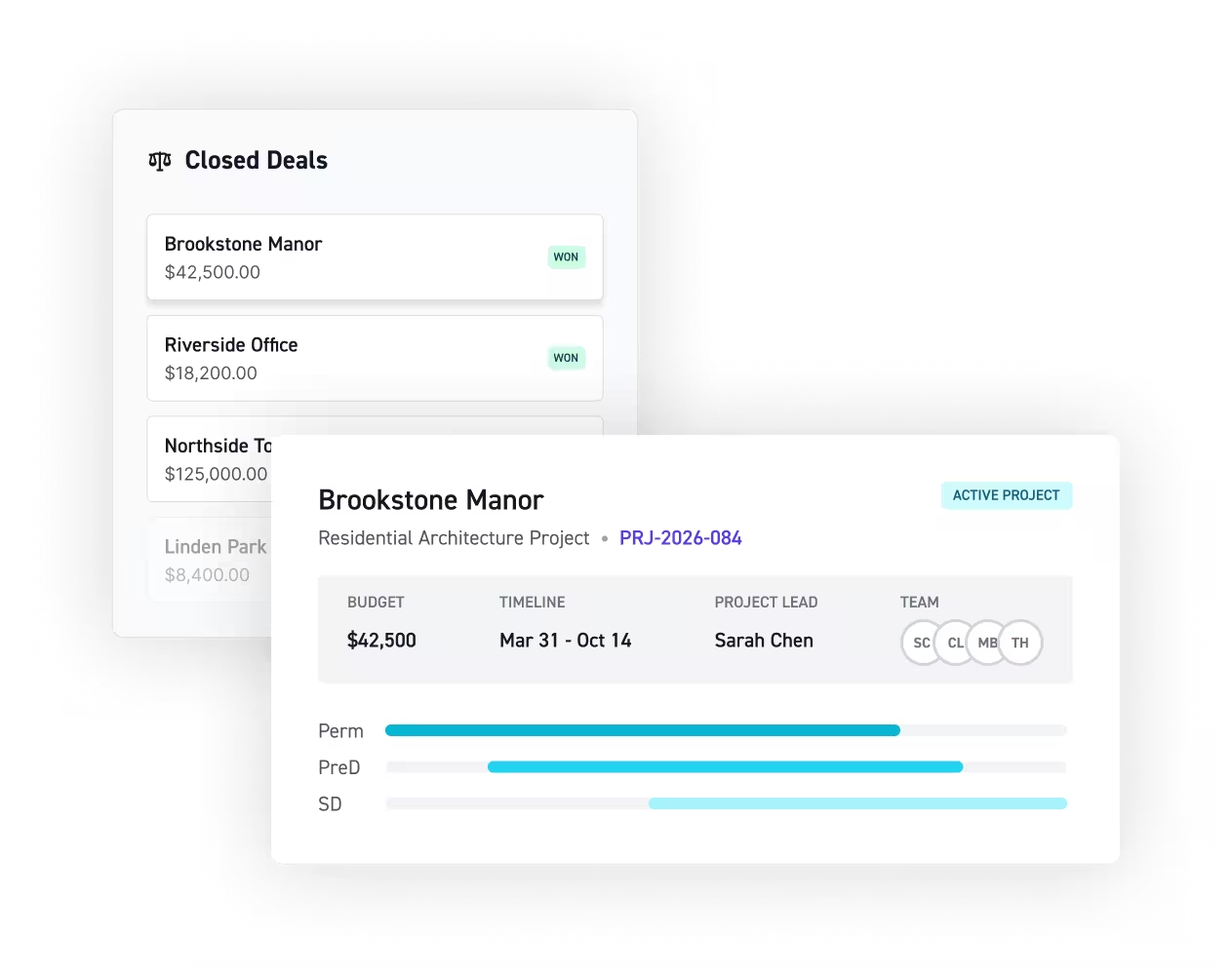
Yes. Monograph's Budget Estimator lets teams create top-down, fee-first and bottom-up, scope-first budgets during the pursuit stage — helping firms size opportunities before work is signed. Once won, teams can convert the opportunity into an active project without re-entering information, creating a smoother transition from the sales pipeline into project management.
How does Monograph help teams manage sales activities, deals, and follow-ups?
Monograph brings sales activities and deal management info into one pipeline view — including lead stage, owner, last activity, and next step. AI-driven tools capture lead and contact info from Gmail or Outlook, import context from calendar events, files, and meeting notes, and create follow-up tasks for review. This workflow automation reduces manual admin and keeps opportunities moving through the sales cycle.
How does Monograph improve sales pipeline visibility?
Project management software and pipeline management tools centralize opportunities, deal stages, budgets, and timelines. Monograph's real-time dashboards bring this into one place. While a Gantt chart visualizes schedules, Monograph keeps your sales process and active projects connected, helping teams plan incoming work and manage resources. This also supports project portfolio management, letting firms balance current projects with potential new work across their project portfolio.
How is Monograph different from CRM and project management software?
Traditional CRM software focuses on sales teams, quotas, and deal velocity, while general project management tools like Asana, monday.com, ClickUp, Smartsheet, Wrike, and Trello support task management across many industries. Monograph is project management software built specifically for A&E firms, connecting lead management and the sales pipeline with project planning, resource management, time tracking, budgets, invoicing, forecasting, and performance. Given that it takes place in one platform, teams can convert closed-won opportunities into active projects without re-entering information.