
It's time to break up with your spreadsheets.
Project budgets in one spreadsheet. Staffing schedules in another. Timelines and tasks on someone's desktop. The latest version? Ask whoever created FINAL_FINAL_v7.
See what you’re missing



















Your spreadsheets have the numbers.
Do you have the answers?
Excel for project management gets the job done. But the more projects your firm takes on, the messier those spreadsheets get.

Too many versions.

Too much guesswork.

Too many surprises.

Excel vs. Monograph
Same projects. A whole lot less work.
.svg)
.svg.webp)
Your team has better things to do than update spreadsheets.
See how Monograph makes managing your projects, people, and finances easier.
Know where every project stands
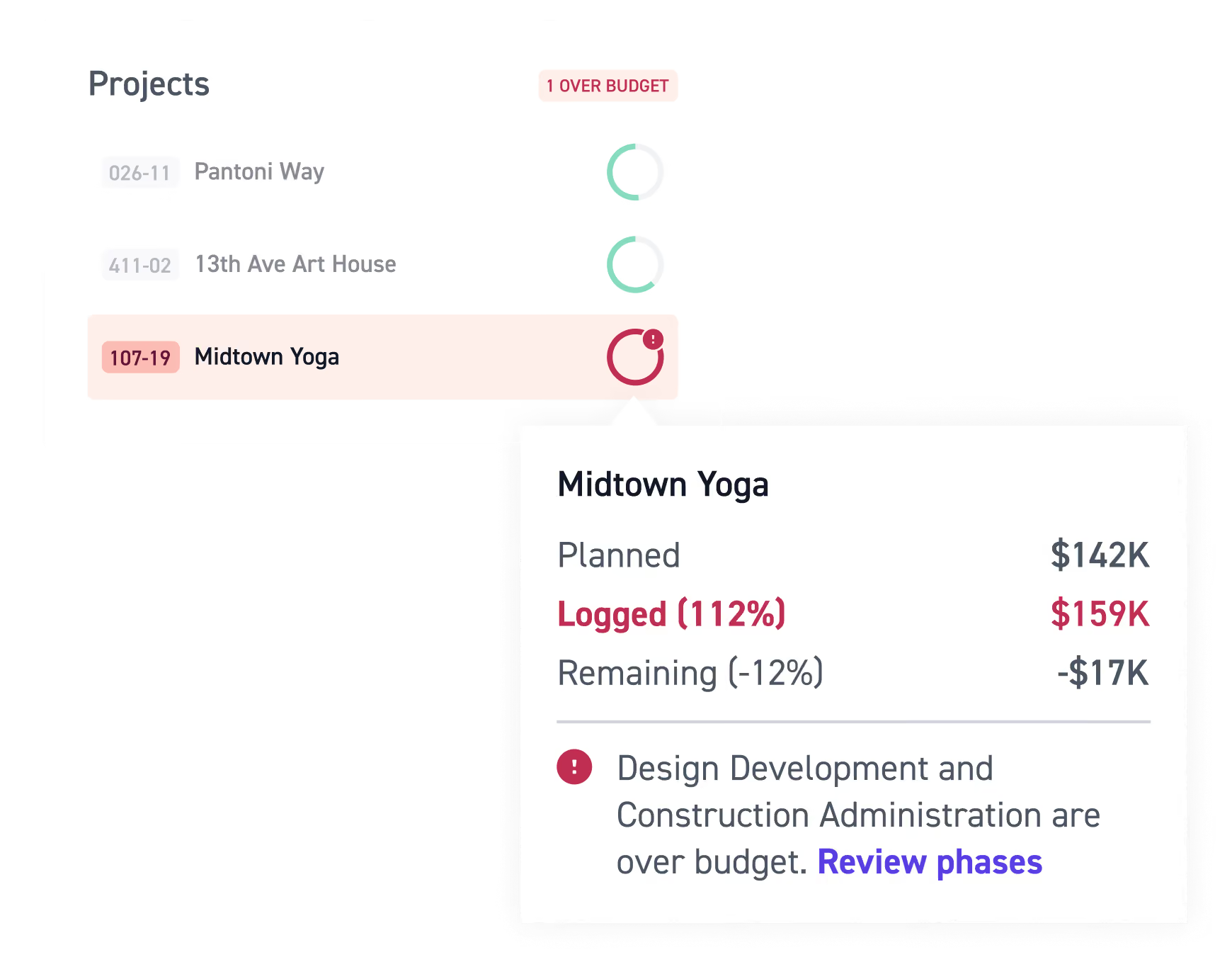
Wondering if a project is over budget, how much of your fee is left, or whether your project schedule is slipping? You shouldn't need five spreadsheets to find out.

See project budgets, tracked time, and financial performance in real-time project dashboards.
Make project tracking easier with a clear view of your project roadmap, progress, milestones, and costs.
Keep stakeholders informed and see where project fees are going so you can catch potential overruns before they eat into your profitability.
Make staffing a little less complicated
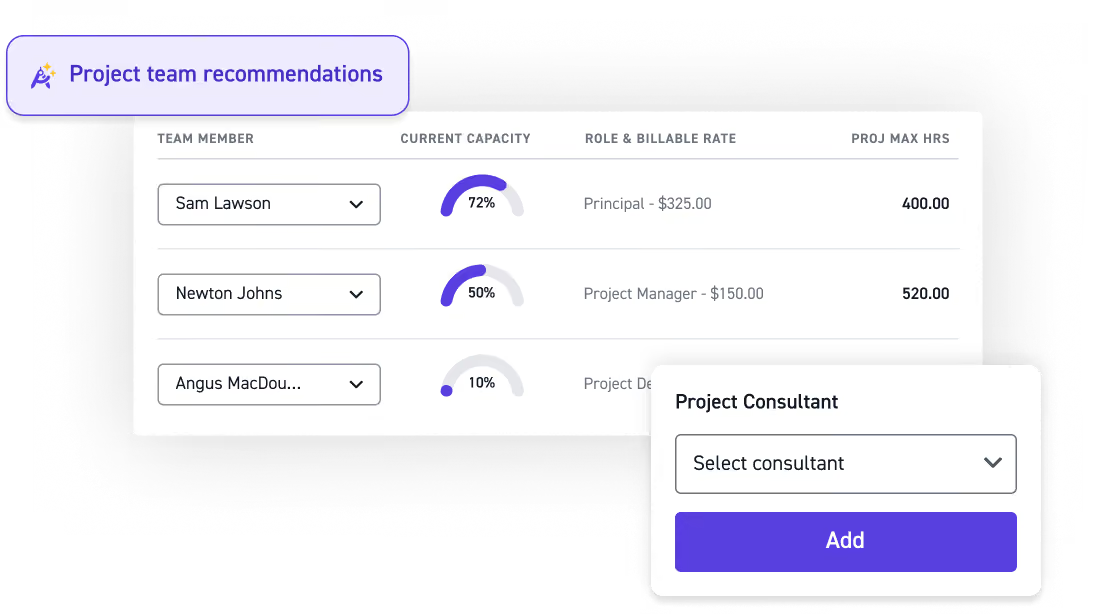
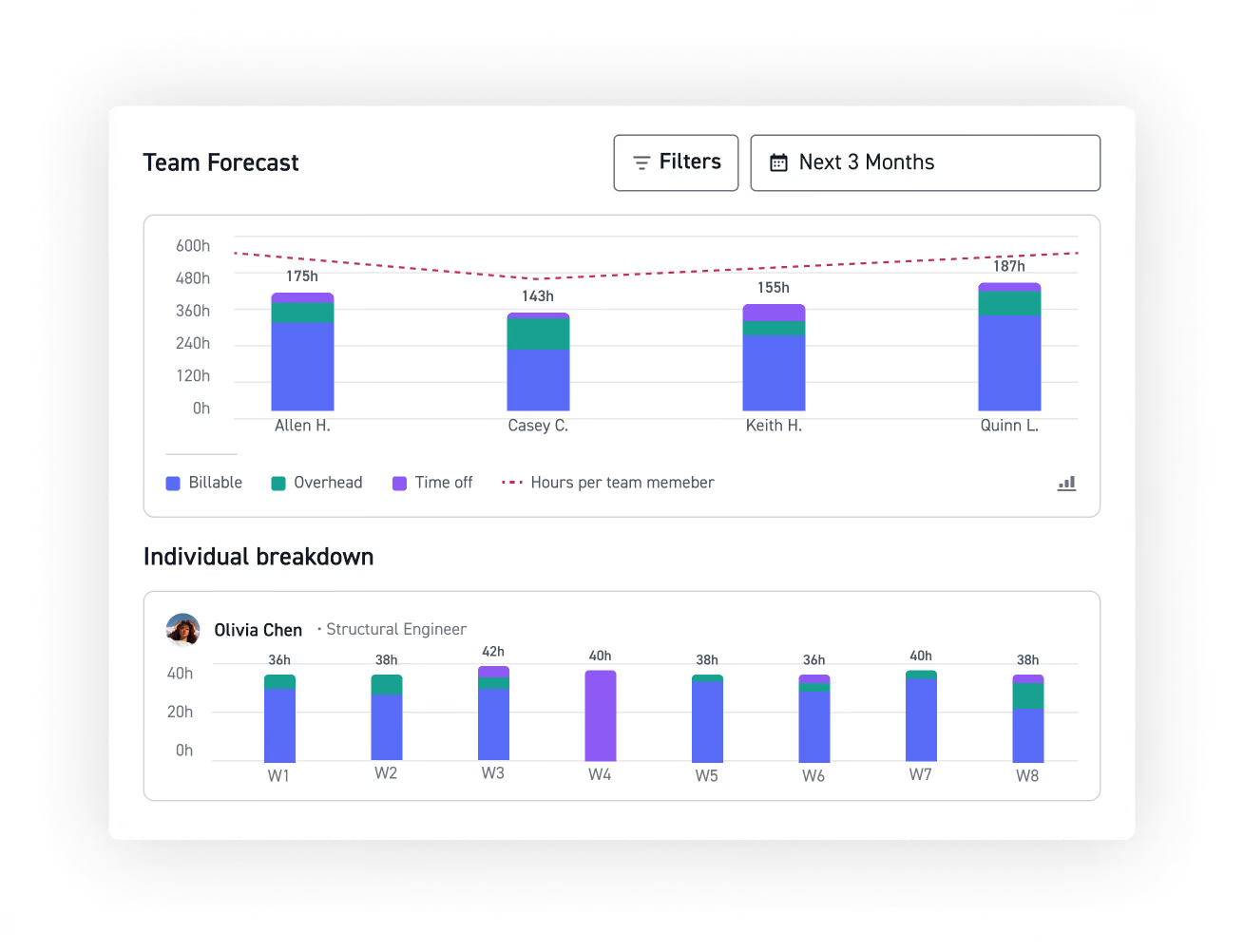
Who's available? Who's overloaded? Can you take on another project? Monograph makes resource management easier with a clear view of your team's workload and capacity.
Manage resources with connected staffing schedules and project plans.
See team capacity, workloads, and resource allocation across projects.
Make more informed staffing decisions before your team gets stretched too thin
Get invoices out without the scramble
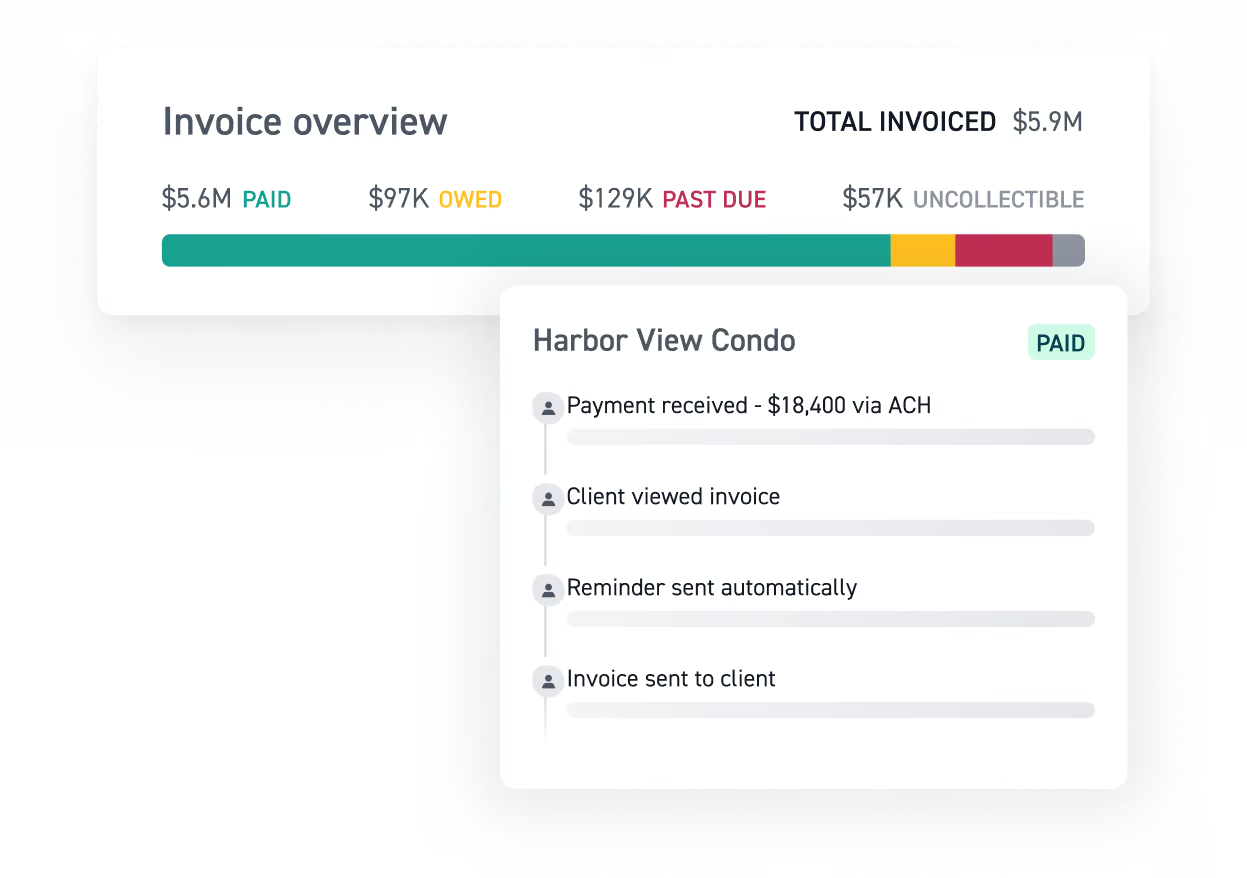
No more chasing down hours, consultant fees, or expenses across different files. With your project information connected to invoicing, your team spends less time on admin work.
Pull billable time, consultant fees, and expenses directly into invoices.
Plan consultant costs by project phase and track them against project budgets.
Sync invoices, bills, expenses, clients, and consultants with QuickBooks Online.
Switching from spreadsheets doesn't have to be a pain.
We get it. Your spreadsheets are familiar, but keeping them updated gets harder as your firm grows. Monograph makes switching easier with onboarding resources and support.

Bring your project plans
Use existing spreadsheets to generate project milestones and deliverables, rather than rebuilding your project plans from scratch.

Skip the budget-building headache
Generate project budgets from uploaded contract documents with AI, without building every project budget template from scratch.

Keep your documents together
Files Hub gives teams one place to upload, search, and manage project documents, from contracts and proposals to consultant bills and deliverables.
See what you’re missing
Frequently asked questions
Is Excel good for project management?
Excel works for basic project planning, budgets, scheduling, and task management. You can use Excel project management templates, task lists, Gantt charts, and conditional formatting to organize your work. But as your firm grows, keeping everything updated across multiple spreadsheets gets harder.
What's the difference between Microsoft Excel project management templates and Monograph?
Excel templates help organize project plans, timelines, tasks, and budgets. But assigning tasks, sharing a status update, and trying to track progress across multiple files takes a lot of manual work.
Monograph connects project management, resource planning, time tracking, and financials, so your team isn't responsible for keeping everything in sync.
Can I use a Gantt chart in Excel for project planning?
Yes. A Gantt chart in Excel can help organize project tasks, milestones, and timelines. But updating project schedules, dependencies, and resource assignments typically requires manual work.
Monograph offers project planning tools built around the phases, budgets, and staffing needs of architecture and engineering firms.
What is a good alternative to Microsoft Excel for project management?
Monograph is project management software built specifically for architecture and engineering firms. It connects project budgets, staffing, time tracking, invoicing, and financial reporting in one place.
Can Monograph replace our project management spreadsheets?
Monograph can replace many of the spreadsheets used to manage project budgets, project scope, staffing, time tracking, and reporting. You can still use Excel or Google Sheets for other tasks without relying on them to manage your entire firm.