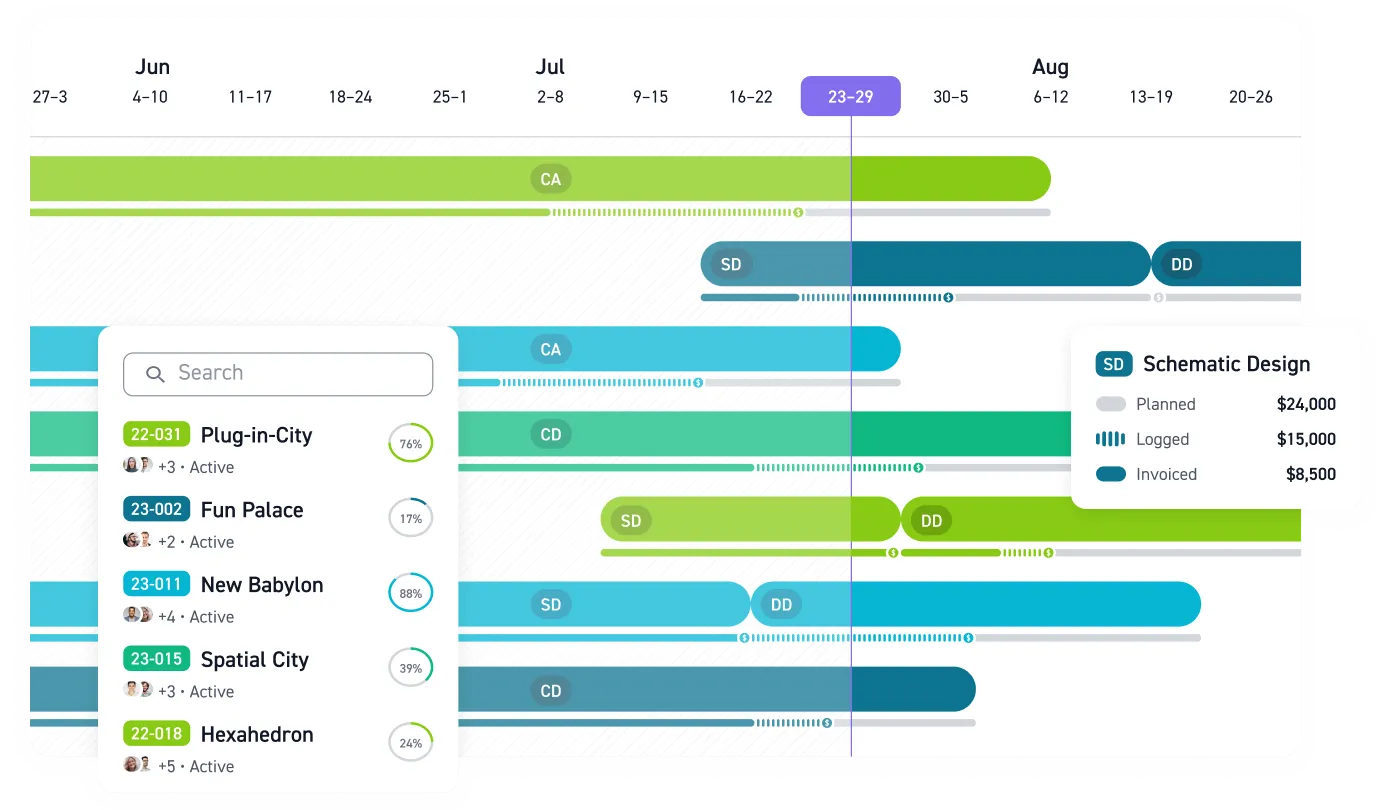


In an MEP firm, technical software gets attention first. Revit models systems, HAP and TRACE size loads, Navisworks catches clashes, and Bluebeam carries markups. Practice management answers what the others cannot: are we making money on this project?
The Five Layers of the MEP Software Stack
Group the tools into five categories:
- BIM authoring. Autodesk Revit MEP dominates multi-discipline BIM in North America. Many MEP practices pair it with AutoCAD MEP for 2D documentation.
- Engineering analysis. HAP and TRACE for HVAC loads and energy modeling, SKM PowerTools or ETAP for electrical studies, and plumbing sizing tools such as h2x or Elite Software.
- Coordination and clash detection. Coordination platforms such as Navisworks, Autodesk Construction Cloud, and Revizto.
- Document management. Bluebeam for drawing review and markup, Newforma for project information.
- Practice management. Monograph, BQE Core, Deltek Ajera and Vantagepoint, and Unanet ERP AE, connecting hours, phases, budgets, and invoices.
The technical layers are decisions your discipline leads can own.
Practice management shapes how you price, staff, and bill every project, which makes it a firm-leadership decision.
Design and Analysis Tools Come With Deadlines
Revit coordinates what you've designed and AutoCAD documents it; neither performs the engineering. Load calculations, energy compliance, arc flash studies, and hydraulic sizing live in dedicated analysis tools, so the analysis layer sits alongside BIM authoring, not inside it.
Two clocks are running. Trane TRACE 700 is being phased out, with 2027 cited as the last renewal date, so firms on it should evaluate TRACE 3D Plus now. TRACE 3D Plus and HAP v6 run on the DOE's EnergyPlus engine and import gbXML geometry from Revit, while efficiency mandates and decarbonization targets keep raising pressure on energy analysis.
Revit itself keeps absorbing engineering functions: Revit 2026 replaced wire types with cable types using custom conductor sizing logic, and added pressure loss overrides for ducts and pipes. None of it shifts liability. Responsible-charge guidance means the PE remains accountable for every input and output, regardless of software.
Coordination Is Where AI Arrives First
Ducts, conduit, piping, and fire protection share ceilings, risers, and service corridors, making MEP the model's most coordination-intensive discipline.
Navisworks is the most commonly used clash detection tool in U.S. design-build work. Autodesk Construction Cloud runs automated clash checks on upload, and Revizto turns clashes into assigned issues tracked to resolution.
AI is landing here first. ENR's FutureTech agenda includes AI-enhanced MEP coordination on a Miami high-rise, tracing equipment across drawings, schedules, risers, and power plans. ACEC's MEP newsletter points to AI-assisted submittal review and automated spec-versus-submittal comparison.
Practice Management: The QuickBooks-or-ERP Fork
For a small MEP firm, the biggest software decision is whether to keep QuickBooks Online or replace it. Monograph works as a project management layer above QBO so project, invoicing, client, vendor, and cost data stay aligned while bookkeeping stays in QuickBooks.
Monograph eliminates rekeying invoices into QuickBooks. Monograph's MoneyGantt™ feature overlays real-time budget status on project schedules using live timesheet data, giving PMs phase-level burn visibility before a phase goes over. Phase-based time tracking logs hours against schematic design, DD, CD, and CA instead of the whole project, with pricing listed from about $45 per user per month.
The other side of the fork trades speed for accounting depth:
- BQE Core: A built-in general ledger replaces QuickBooks for firms with complex billing and accounting needs.
- Deltek Ajera and Vantagepoint: Ajera targets small A&E firms prioritizing project accounting; Vantagepoint suits 50+ person firms, with first-year costs of $50K to $500K+.
- Unanet ERP AE: Project-based ERP with its own GL, AP, and AR to replace QuickBooks. It fits firms with government-contract compliance requirements.
Choosing wrong is expensive. The wrong QBO overlay creates redundant systems; an unnecessary ERP stalls projects. Vendor results show what a good fit looks like: Dynamic Engineering saw a 2x efficiency gain after implementing Monograph, and a 30-person practice that moved off BQE Core achieved 8x faster staffing and 75% fewer unbilled fees.
How to Evaluate Before You Buy
A technically perfect system that nobody adopts is expensive shelf inventory. Principals should own selection.
A day-in-the-life audit of target users before purchase helps; implementations succeed when they start with user champions, not executive mandates. The firms pulling ahead use technology for measurable value.
Four criteria matter:
- Phase-level financial control. Phase budgets, not-to-exceed limits, consultant coordination, and WIP reporting.
- QuickBooks fit. Whether the QBO connection preserves phase-level cost detail or flattens everything to the project level.
- Total cost of ownership. Implementation, training, and integration can exceed the subscription itself.
- MEP phase fit. Test whether mechanical, electrical, and plumbing can run as separate phase and billing structures.
Run the demo on a live project's phase structure, not the vendor's sample data, to see how each platform handles your actual multi-discipline billing before you commit.
Where Engineering Firms Stand in the Benchmarks
Monograph's 2026 Architecture & Engineering Business Benchmarks Report shows that 52% of A&E firms report at least one in four projects going over budget. The same report found the chargeability gap widened from 2.2% to 2.9% between 2024 and 2025.
Without phase-level burn visibility, a project slides past its budget before anyone can act.
Start with your own numbers: pull utilization and realization by phase from your current system, and note how long that pull takes.
See Your MEP Project Margins Before They Slip
Revit, HAP, TRACE, Navisworks, and Bluebeam solve technical problems. They do not show which phase burns budget, which team is overloaded, or which invoice is waiting.
That visibility belongs in practice management.
Monograph gives A&E principals, PMs, and operations leaders one place to track budgets, time, staffing, invoices, and QuickBooks data by project phase. Audit your practice-management layer, test phase-level budget visibility on a live MEP project, and book a demo to see how that workflow looks in Monograph.
Frequently Asked Questions
What software does an MEP engineering firm need?
Most MEP firms need five layers: BIM authoring, engineering analysis, coordination and clash detection, document management, and practice management. The first four help you design, calculate, coordinate, and document the work; the fifth helps you understand whether the work is profitable.
Should a small MEP firm keep QuickBooks or move to an ERP?
For many small firms, improving project visibility above QuickBooks is the safer first move. A full ERP can make sense when you need deeper accounting control, government-contract compliance, or a built-in general ledger.
How should MEP firms evaluate practice management software?
Use a live project, not sample data. Build the demo around your actual mechanical, electrical, and plumbing phases, then test budgets, staffing, invoices, consultant costs, and QuickBooks sync against that structure.
Why does phase-level tracking matter for mechanical, electrical, and plumbing work?
MEP work can look profitable at the project level while one discipline or phase is quietly overrunning. Phase-level tracking shows where hours are going before the fixed fee is gone, giving PMs time to rebalance staffing and protect margin.