


Firm management made easy

Every engineering PM knows the Friday 4 p.m. scene. Five engineers open the timesheet spreadsheet and try to remember Monday. Hours land in tidy blocks, the 20-minute RFI call vanishes, and the phase codes get guessed. That sheet then feeds the invoice, the billable-capacity report, and the phase budget everyone trusts.
Time-capture methods include:
- Manual entry
- Start/stop timers
- Automatic background trackers
- Inference-based suggestions
Each of these breaks in a specific, predictable spot. For a PM running many projects across several phases, the useful question is which break you can afford.
The spreadsheet rebuilt on Friday afternoon
Weekly recall inflates hours and drops the small ones. Federal statisticians comparing weekly recall against same-day diaries found recall estimates ran about 10 percent higher, and diary research shows recall gaps are especially likely for brief, concurrent, or nonsalient activities: the quick drawing check, the ten-minute coordination call. Those tasks fill an engineer's day. Zweig Group puts it plainly: staff who aren't entering time daily are turning in inaccurate timesheets.
For firms subject to DCAA timekeeping requirements, weekly reconstruction can create a compliance failure. DCAA guidance requires employees to record time on a daily basis, distributed correctly by project number, and its floor checks arrive unannounced. An auditor who asks an engineer to open her timekeeping screen and finds Tuesday blank has the finding already.
The cost shows up downstream. Monograph's 2026 Architecture & Engineering Business Benchmarks Report found that high-performing firms bill 34% more hours than low performers, roughly 10 extra billable hours per person per week. Baseline firms in the report realize 96% of billable value; the other 4 cents on every dollar goes to write-offs and scope creep. Hours that were never recorded don't even reach the write-off stage.
The timer nobody restarts after the phone call
Start/stop timers fix recall and add a dependency on the click. A study of 137 workers at three Fortune 500 companies counted roughly 1,200 app toggles a day. In that environment, the timer running on the Maple Street structural review keeps counting through the contractor's call, the RFI reply, and the two other tasks that typically come before anyone returns to the model.
Cognitive psychologists have a name for the failure. An interruption turns "restart the timer" into a prospective memory task: an intention that has to survive in working memory while the interruption's content competes for the same limited resources. By the time the engineer sits back down, the timer's state is no longer salient.
Timers still earn their place when the label is attached at the start and the interface travels with the work. A timer tied to a phase code captures a site visit or a coordination meeting cleanly, and a mobile timer that stores entries offline handles the field. Monograph's dedicated desktop timer runs alongside the work. That works for discrete blocks; it does nothing for an interruption-heavy afternoon at a desk.
What automatic time trackers actually capture
Background trackers are good at the job they were built for. They run silently, remove the memory burden entirely, and surface time nobody would have logged. Vendor documentation is specific about what they collect:
- RescueTime records window titles for apps and websites, adds document names on paid plans, and never logs keystrokes.
- ActivTrak collects executable names, durations, and title-bar content, with alarm-triggered screenshots as a paid add-on.
- Clockify's auto tracker logs app names, documents, URLs, and inactive time.
Every one of these produces the same artifact: application, window title, duration. "AutoCAD, 6.2 hours" is an accurate record and a useless invoice line.
A background tracker has no access to the firm's project structure. RescueTime's own documentation states the tool can identify which apps you used but not which project you were working on, and a single Revit session may span files for multiple clients. The AIA's phases (SD, DD, CD, CA) exist in the firm's contracts and project system, never in a window title. Activity records still need to be assigned to the firm's project and phase structure before billing, the same manual step the tool was supposed to remove. Without that assignment, the downstream math fails.
Percent-complete invoicing, which the AIA describes as billing by phase progress, has no phase-coded hours to work from. Not-to-exceed contracts can't be tracked against their hourly caps. Overhead rates drift, because misclassified direct hours distort overhead allocation, as the DOT Inspector General has documented.
A distorted overhead rate then feeds every billing rate the firm quotes next year.
Then there is the surveillance problem. Harvard Business Review's 2024 analysis concludes that monitoring employees erodes trust, Cornell researchers linked algorithmic monitoring to workers feeling less autonomous and more likely to quit, and a meta-analysis in Personnel Psychology reports no evidence that electronic monitoring improves performance. With 92% of engineering firms reporting one open position or more, a screenshot tool is a retention risk with a phase-coding problem attached.
What "smart" means in practice
Inference-based tracking keeps the engineer in charge of the phase code while removing most of the typing. The category has three working mechanisms:
- Calendar events become suggestions. Toggl Track can auto-convert calendar events into entries and apply rules that classify them by project; Harvest remembers the project for recurring meetings.
- Plain language becomes an entry. eBillity parses "I worked 2 hours on the Johnson design project" into a formatted entry, and Deltek's Ask Dela lets Vantagepoint users log time conversationally in Microsoft Teams.
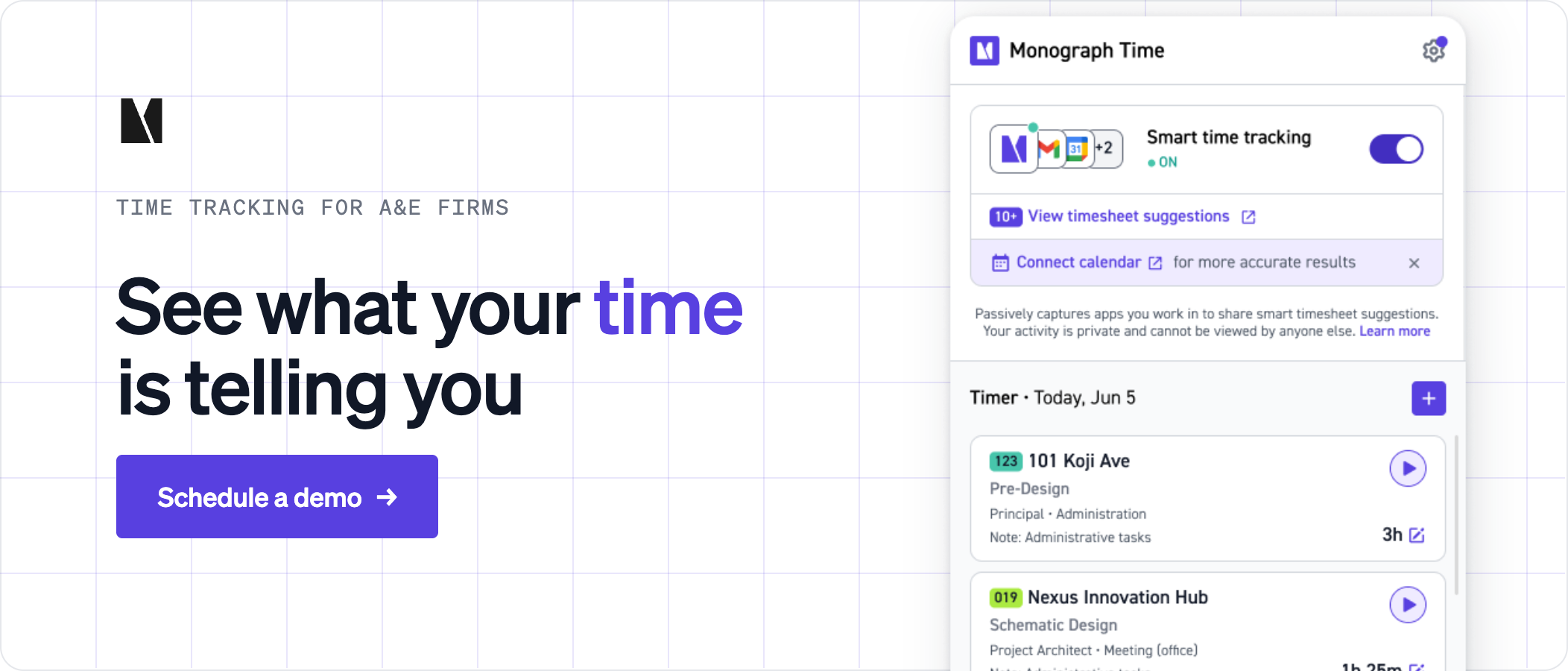
- The desktop timer follows the work. Timely's Memory tracker groups app and document activity into draft entries and learns project associations from each correction; only user-approved entries are shared.
In each case the system drafts and the person approves, which is why the output is a phase-coded entry a PM can bill.
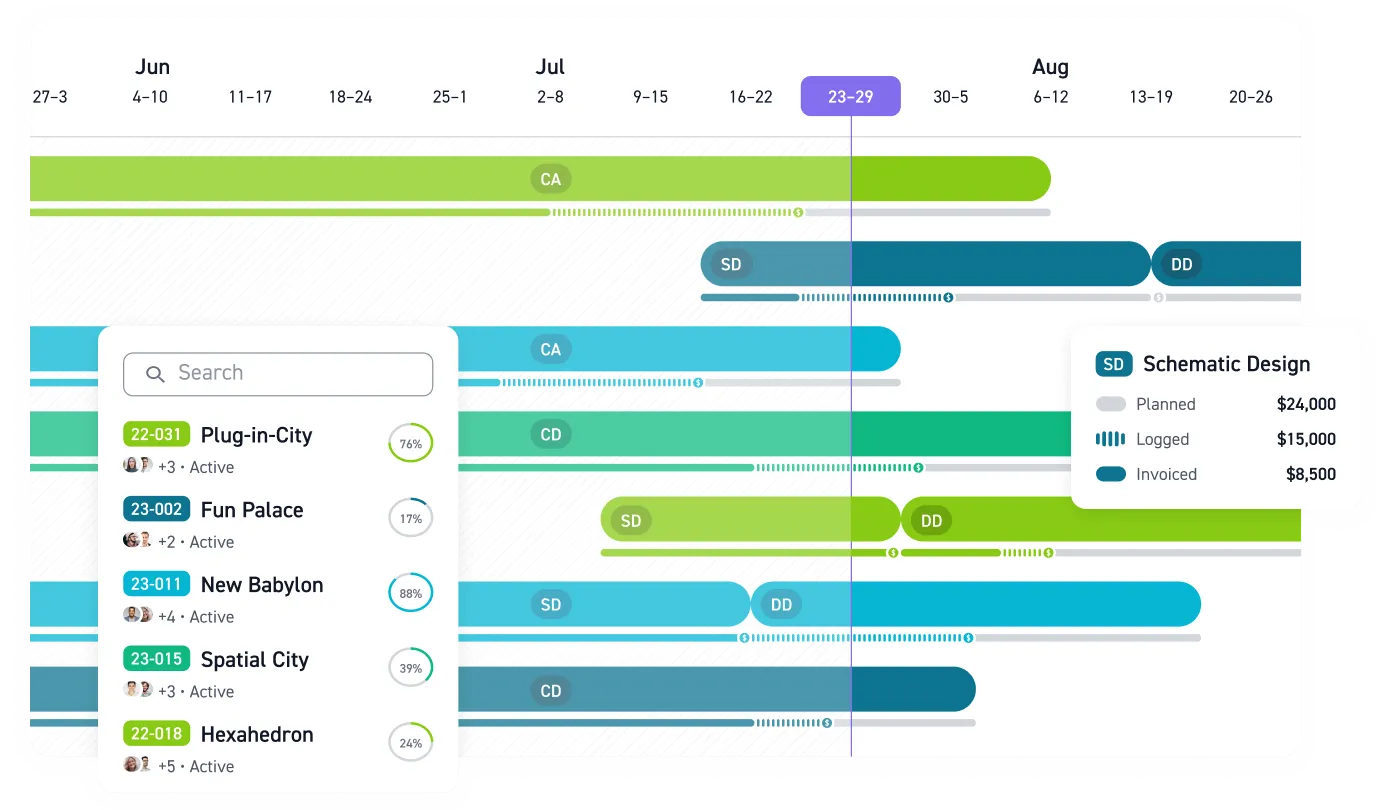
Monograph builds its time tracking on that principle. Time logs to projects, phases, and activities, and when a PM assigns staff to phases in the Project Planner, those phases and budgeted hours appear pre-populated on the weekly timesheet, so an engineer confirms hours against work already listed. Smart time suggestions and the phase-based timer sit on top of that. Because the phase code is present at entry, logged hours flow straight into phase burn, draft invoices with phase breakdowns, and Monograph's MoneyGantt™, which lays actual hours and invoiced fees against each phase budget to show budget-to-cash progression without a spreadsheet.
For an engineering-specific example, Red Brick Consulting moved from Excel to Monograph and reported 25% less admin time, a 2x faster billing process, and 25% less budget overage.
The practical test for any tool on your shortlist takes one day. Pick one engineer, one Tuesday, and ask whether the record at 5 p.m. shows hours by project and phase that you could approve and bill. An activity log fails. A timer passes for the meeting and fails for the afternoon of interruptions. A pre-populated timesheet with suggestions gets closest, because the phase question is answered before the day starts. Learn more about Monograph's time tracking software for architects & engineers.
Stop Rebuilding Time on Friday
Missed and miscoded hours become invoice gaps, distorted phase budgets, and unreliable project margins. PMs and operations leaders need billable time by project and phase, while principals and owners need those same entries to show where a project is burning through its fee.
Monograph connects planned phases, smart time suggestions, approved entries, budget burn, and invoicing in one A&E workflow. Use the one-day test on a real project and check whether suggested time reaches the right phase, budget, and draft invoice without re-entry.
Test it before another Friday disappears. See how Monograph turns suggested time into phase-coded, bill-ready entries. Book a demo.
Frequently Asked Questions
Should an engineering firm stop using timers?
No. Keep timers for discrete work such as site visits, coordination meetings, and focused design blocks where the project and phase are known at the start. Pair them with pre-populated timesheets or suggestions for interruption-heavy desk work, where engineers are least likely to stop and restart a timer correctly.
Can a background tracker identify the right project and phase?
Not reliably from app activity alone. An app name, document, URL, or window title can show what someone used, but one session may span several clients and the contractual phase may never appear on screen. Require the project and phase to be assigned before an entry reaches a budget or invoice.
Are automatic background trackers too invasive for an engineering firm?
They can be, especially when they collect screenshots or detailed title-bar activity. Decide whether that data is necessary before turning it on, document what the tool collects, and limit visibility to what the timekeeping workflow actually requires. An employee-controlled draft that shares only approved entries avoids much of the surveillance problem.
Can smart suggestions replace daily review and satisfy timekeeping requirements?
Smart suggestions reduce typing; they do not remove employee review. Staff should confirm the hours, project number, phase, and activity on a daily basis, particularly on DOT or federal work. The useful setup drafts likely entries while leaving the engineer responsible for approving and correcting the final record.
Data was collected as of April 2026.