


Firm management made easy

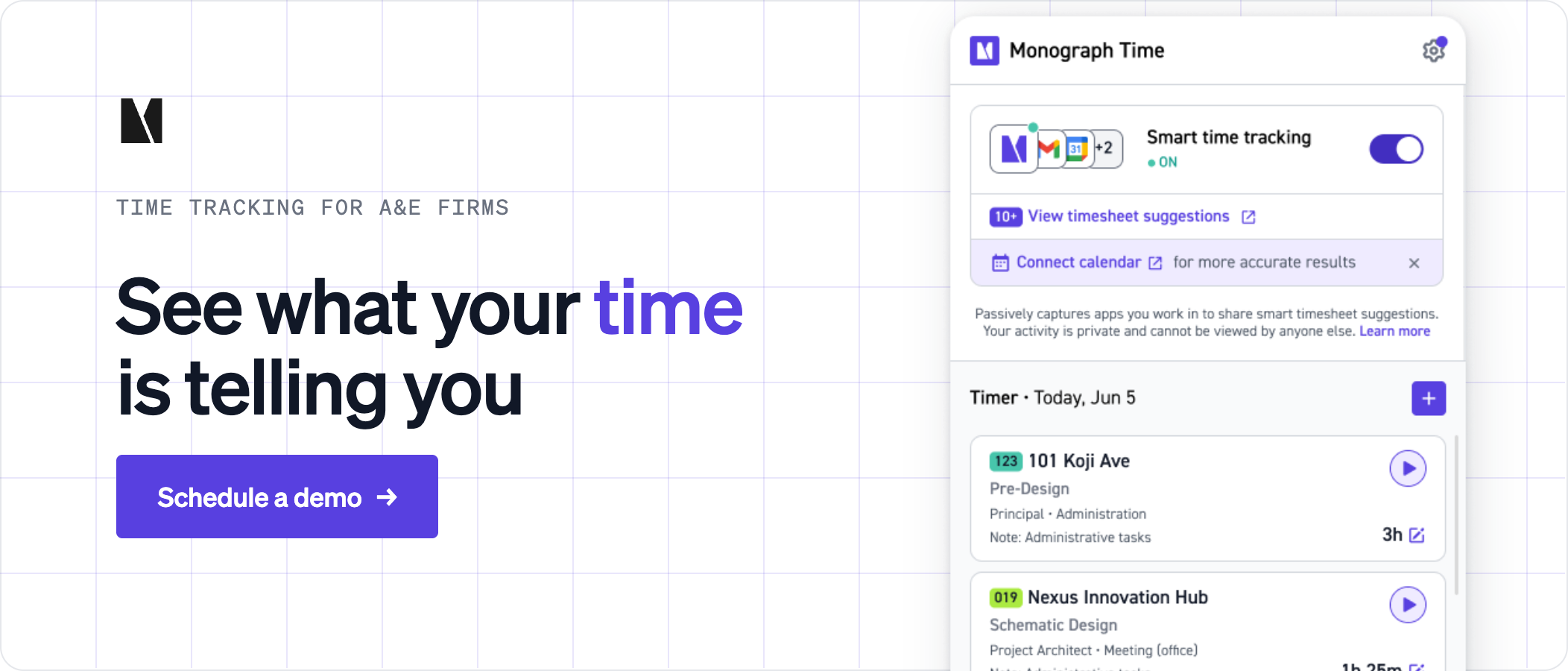
Search "time tracking software mac" and you get roundups written for freelancers and developers. None of them ask whether the timer survives a studio day: Rhino for massing, SketchUp for a client's fly-through, InDesign for the presentation, and Revit inside Parallels because Autodesk ships no native Mac version. In a small practice, that timer also has to feed a timesheet that knows Schematic Design from Construction Documents, because that is how the fee was negotiated. Automatic active-app trackers operate as capture tools; Monograph pairs a dedicated desktop timer with the A&E platform built around project phases.
Four jobs a studio timer has to do
A freelancer's timer needs to start and stop. A studio timer has four jobs:
- Sit in the menu bar, so nobody hunts for a browser tab between Rhino and Illustrator.
- Follow the active project without a manual switch on every app change.
- Keep running through a long Zoom call when the keyboard goes untouched.
- Post hours to the firm's timesheet by project and phase.
Most desktop trackers below handle the first job; Monograph is evaluated separately as the phase-level timesheet layer with a dedicated desktop timer. The differences show up in the other three.
Following the project across Rhino, SketchUp, Adobe, and Revit in Parallels
Automatic trackers read the active app name and window title through the macOS Accessibility API. Timing records the window title and document path once per second, and the open file name sits in that title, so "Hillside_SD.3dm" maps to a project without anyone touching the timer. Rhino, most Adobe Creative Cloud apps, and other native Mac apps like SketchUp behave this way.
Revit in Parallels is where the automatic tracking stops. In Parallels' default Window mode, the whole VM is one macOS window and the tracker sees only "Parallels Desktop." Coherence mode surfaces Windows apps next to Mac apps, but nobody has confirmed that the .rvt filename reaches a Mac tracker in either mode.
Manual assignment is the reliable option for Revit hours. Start a timer keyed to project and phase before you open the VM, or assign the Parallels block at day's end.
What Accessibility and Screen Recording permissions actually do
Accessibility lets an app read the frontmost application's name and its window title, a one-time grant that persists until revoked. Screen Recording provides access to the window title for the few Adobe products that don't publish it through Accessibility. Capturing actual screen content is a separate thing a developer has to build in; Timing uses the permission to read the title only.
Neither permission lets a tracker do any of the following. Apple gates each behind a separate grant:
- Log keystrokes, which requires Input Monitoring.
- View the screen remotely, which requires Remote Desktop.
- Record camera or microphone, which have their own permissions.
- Read file contents, which requires Files and Folders or Full Disk Access.
A tracker that asks only for Accessibility and Screen Recording does not by itself receive access to keystrokes, remote screen control, camera or microphone recording, or file contents, and you can check the permission list yourself in System Settings. Accessibility sticks; Screen Recording re-prompts periodically, so tell staff up front that the repeat prompt is an Apple privacy feature and not a broken install. Clicking "Don't Allow" on the Screen Recording prompt can prevent window-title detection for certain Adobe apps, such as Adobe After Effects and Premiere Pro.
Surviving a Zoom call
You sit through a long MEP coordination call without touching the keyboard, and your timer decides you were asleep. Idle detection watches keyboard and mouse activity, nothing else.
Harvest waits 10 minutes by default then asks whether to keep or remove the time. Toggl Track prompts you on return, and Clockify offers to keep the idle stretch or file it separately. Miss the prompt or click the wrong button and the call vanishes from the timesheet. Clockify's App Store build omits idle detection, so download it from the vendor site.
Timing suspends idle tracking when an app keeps the Mac awake through microphone or video use, and manually started timers ignore it outright. Its call detection offers to log the time when a call ends.
How the Mac timers compare
Only one row says yes in the last column, and its desktop timer's Mac menu-bar support and automatic app detection are not confirmed. The seat you pay for is the phase-level timesheet; Monograph's dedicated desktop timer is its supported capture layer. If designers use a separate automatic tracker, define and test the manual process for transferring those hours into Monograph; no direct third-party import is confirmed here. Monograph's best architecture software roundup covers time tracking alongside the design tools.
Why time has to land by phase
Basic Services under AIA B101–2017 break into five phases with owner approval at each one, so every phase boundary is a deliverable gate and an invoicing trigger. Firms of 1–20 staff do 76% of their work on a lump-sum basis. On a fixed fee, a project-level total only tells you the job is over budget. Phase-level hours tell you CDs ran long while CA is still ahead.
Monograph's 2026 Architecture & Engineering Business Benchmarks Report found baseline firms average 96% realization, losing 4 cents on every dollar of billable time to write-offs and scope creep. When an invoice gets challenged, the hours you can't tie to a phase are the hardest to defend.
With a standalone timer, getting hours to a phase takes a manual chain:
- Export a CSV or PDF summary from the timer.
- Re-key or map hours into a phase-coded timesheet.
- Reconcile them against phase budgets kept in a spreadsheet.
- Build the invoice by hand from the reconciled numbers.
Each step is a place where hours go stale, and Zweig Group recommends reviewing project budget status weekly with trigger points at 30%, 60%, and 90% of fee burn.
Monograph collapses that chain when staff log time through its desktop timer, browser, mobile app, or other supported entry workflows. If the firm keeps a separate automatic tracker, the hours still need a defined manual transfer into Monograph. That consolidation has measurable effects: Woodhull, a 25-person architecture firm, reports 66% less administrative time, 50% faster billing, and 66% less budget overage after its move from BQE Core to Monograph.
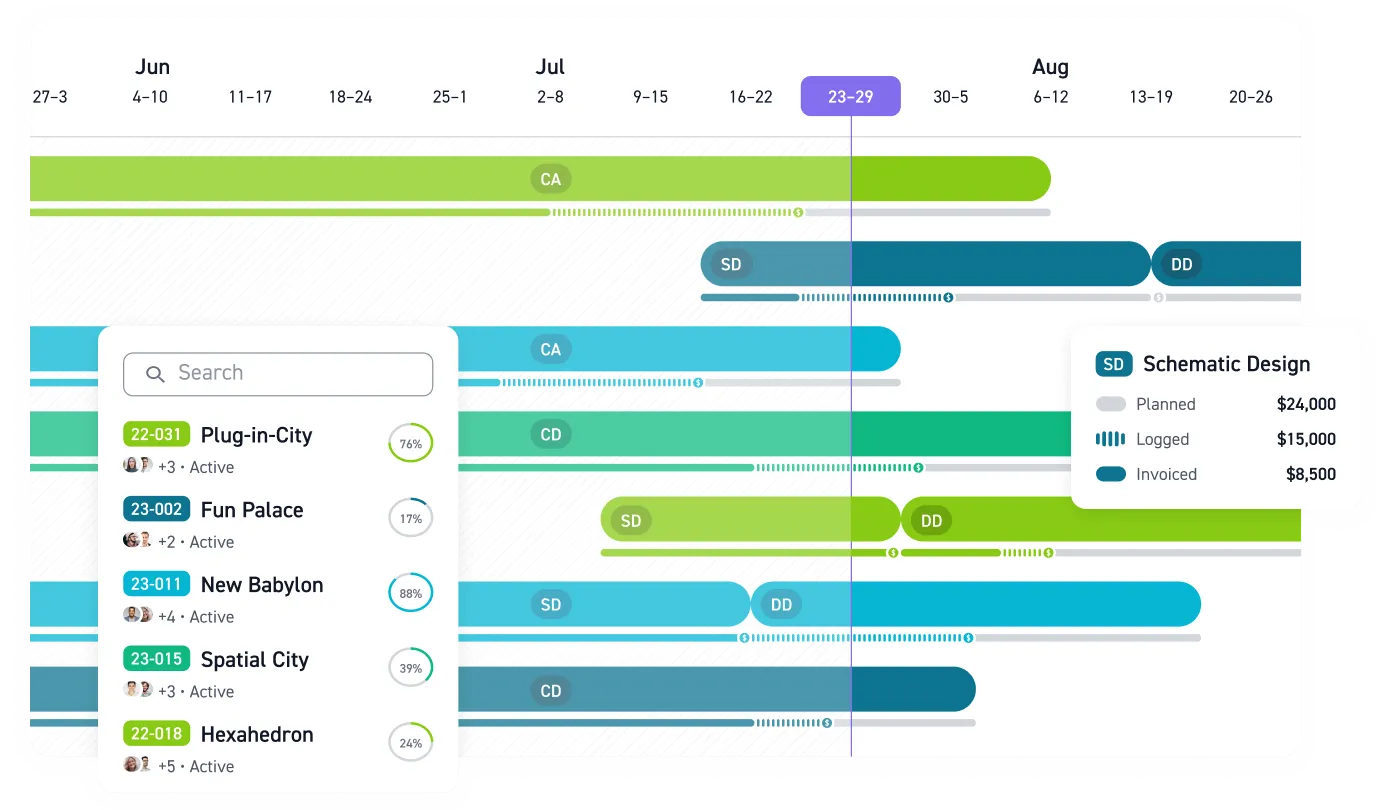
Timesheets can arrive pre-assigned with phases and budgeted hours, connect to staffing and invoice workflow within Monograph, and invoices can then be sent to QuickBooks Online. Time logs can be filtered or grouped by project, phase, person, and category, connecting hours to project financials. Monograph's MoneyGantt™, its signature financial-visibility feature, fills in phase by phase as hours post, so a principal sees logged hours against planned fee without opening a spreadsheet. Staff log time with a dedicated desktop timer, in a browser, or through the mobile app on site, and the time tracking feature page maps phases to budgets.
Use Monograph's dedicated desktop timer if you want captured hours to enter that workflow directly. If your firm keeps a separate Mac tracker for Zoom calls or automatic app detection, test how its hours will be transferred and logged against a phase before the end of the week.
Connect Mac Time Capture to Phase Budgets
A timer can capture every minute and still leave the firm blind if those hours never reach the correct phase, budget, and invoice. Test your shortlist with the work your team actually does: native design apps, Revit in Parallels, and a long coordination call.
Operations leaders should check how much re-keying remains. Project managers should verify phase coding before weekly budget reviews, while principals and owners should confirm that logged hours show up against planned fees. If a standalone desktop timer handles capture but stops there, the firm must transfer those hours into Monograph before they can connect to phase-level budgets and financial reporting.
Captured time gets stale fast. Put a workflow in place that carries it from the Mac to project phases, budgets, and billing while there is still time to act. Book a demo.
Frequently Asked Questions
Do Accessibility and Screen Recording permissions expose sensitive studio work?
Not by themselves. Accessibility reads the frontmost app and window title, while Screen Recording can provide access to window titles for Adobe products that do not publish them through Accessibility. Keystrokes, remote screen access, camera or microphone recording, and file contents each require separate permissions. Check the app's grants in System Settings before a firm-wide rollout.
Will automatic tracking recognize Revit files running in Parallels?
Do not assume it will. In the default Window mode, a Mac tracker sees Parallels Desktop rather than the .rvt filename, and filename detection has not been confirmed in Coherence mode. Start a project-and-phase timer before opening the VM, or assign the Parallels block at day's end, then verify the workflow during a pilot.
Can one tool handle both automatic desktop capture and phase-level timesheets?
No tool here is confirmed to do both. Automatic Mac trackers work as the capture layer, while Monograph includes a dedicated desktop timer and connects time to projects, phases, budgets, and invoicing. Choose the timer your designers will leave running, then define how its captured hours will reach the phase-coded timesheet without getting lost in exports and spreadsheets.
How do we keep coordination calls from disappearing as idle time?
Test idle behavior before rollout. Harvest, Toggl Track, and Clockify ask whether to keep idle time, so staff need to act on the prompt.
The comparison data was collected as of April 2026.